> For the complete documentation index, see [llms.txt](https://docs.samita.io/llms.txt). Markdown versions of documentation pages are available by appending `.md` to page URLs; this page is available as [Markdown](https://docs.samita.io/sami-b2b-onboarding/store-access/hide-prices-and-add-to-cart.md).

# Hide prices and add to cart

Replace prices with a log-in link and remove the buy buttons for visitors who aren't approved.

Sami B2B Onboarding can hide your prices and buy buttons from visitors who aren't approved. Where a price was, they see a link that asks them to log in. Approved buyers see your store as normal.

{% hint style="info" %}
Before you start, make sure the app embed is on in your theme. Without it, nothing is hidden. See [Turn on the app embed](/sami-b2b-onboarding/getting-started/turn-on-the-app-embed.md).
{% endhint %}

## Hide prices and the buy buttons

{% stepper %}
{% step %}

### Open Access

In Shopify admin, open **Apps › Sami B2B Onboarding** and click **Settings**. **Access** opens first. If another section opens, click **Access** in the settings menu.
{% endstep %}

{% step %}

### Choose a visibility that allows these rules

Under **Storefront visibility**, set **Who can browse, who can buy** to one of these:

* **Public catalog, private purchasing**: everyone can browse, and prices and buy buttons are hidden from visitors who aren't approved.
* **Private wholesale store**: the whole store is locked, so prices and buy buttons are hidden only on the pages the lock leaves open. Under each switch you see **Only on the pages the store lock leaves open.** See [Lock the store](/sami-b2b-onboarding/store-access/lock-the-store.md).

With **Public catalog, public purchasing**, these switches are hidden, because everyone can buy.
{% endstep %}

{% step %}

### Hide prices

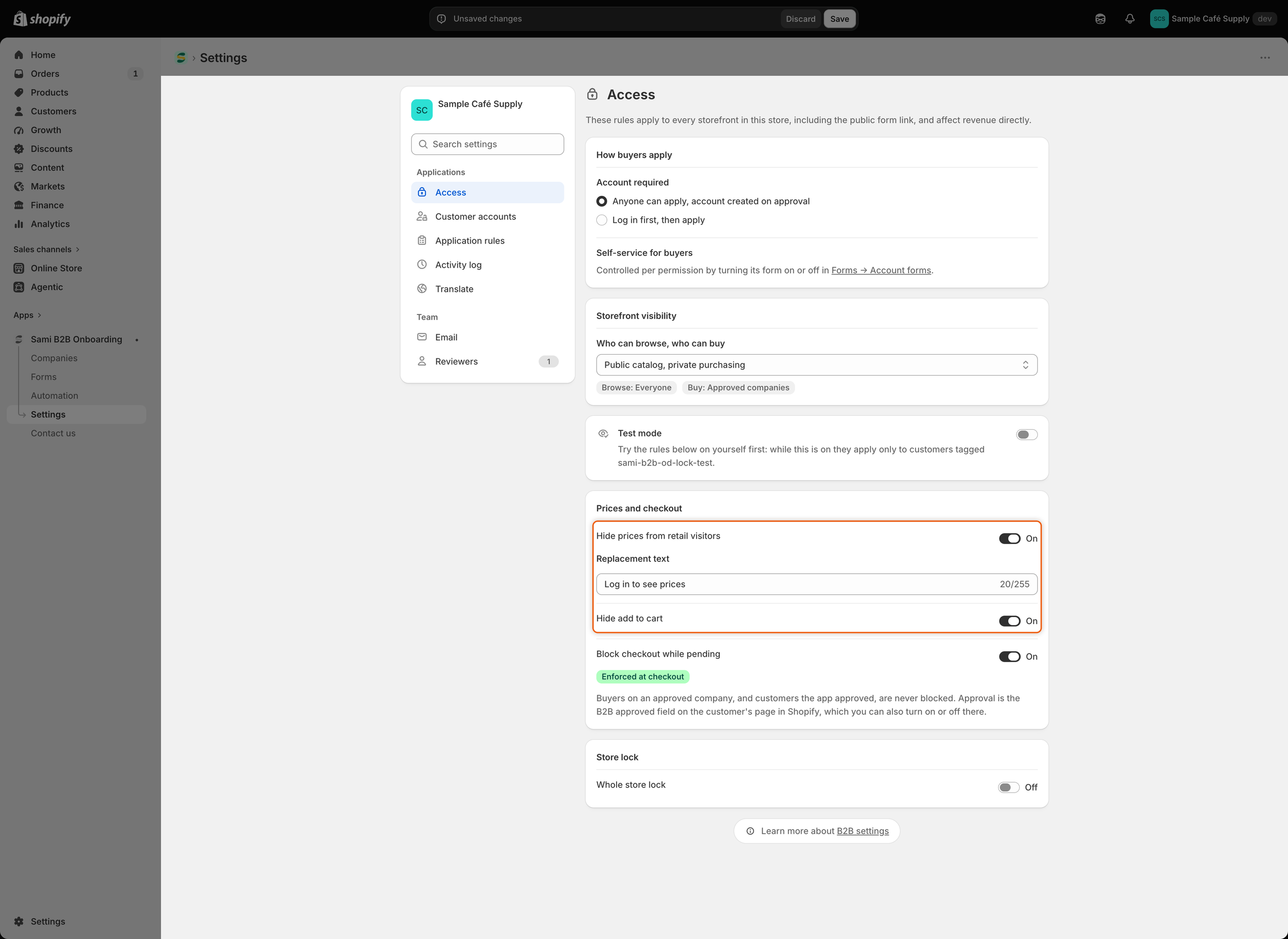
Under **Prices and checkout**, turn on **Hide prices from retail visitors**. A **Replacement text** box appears below the switch.

Type what visitors see instead of each price, up to 255 characters. The text starts as `Log in to see prices`. The box can't be empty while the switch is on.
{% endstep %}

{% step %}

### Hide add to cart

Turn on **Hide add to cart**. You can use it with hidden prices or on its own.
{% endstep %}

{% step %}

### Keep checkout blocked

Leave **Block checkout while pending** on. Hiding prices and buttons only changes what the page shows. The checkout block is what stops a visitor who isn't approved from paying. See [Block checkout until approved](/sami-b2b-onboarding/store-access/block-checkout-until-approved.md).

<figure><img src="https://3844812229-files.gitbook.io/~/files/v0/b/gitbook-x-prod.appspot.com/o/spaces%2FRrf4pQPgjvb3GW7IN3Ci%2Fuploads%2Fgit-blob-f3632e592973bbf6f1741c54cf6cb1c89ba5c040%2Fscreenshot-access-hide-prices-switches.png?alt=media" alt="The Prices and checkout section with Hide prices from retail visitors and Hide add to cart switched on, and the Replacement text box filled in."><figcaption><p>With Hide prices on, the Replacement text box sets what visitors see in place of each price.</p></figcaption></figure>
{% endstep %}

{% step %}

### Save

Click **Save** in the save bar. **Settings saved** appears, and the change reaches your storefront.
{% endstep %}
{% endstepper %}

## Check it on your storefront

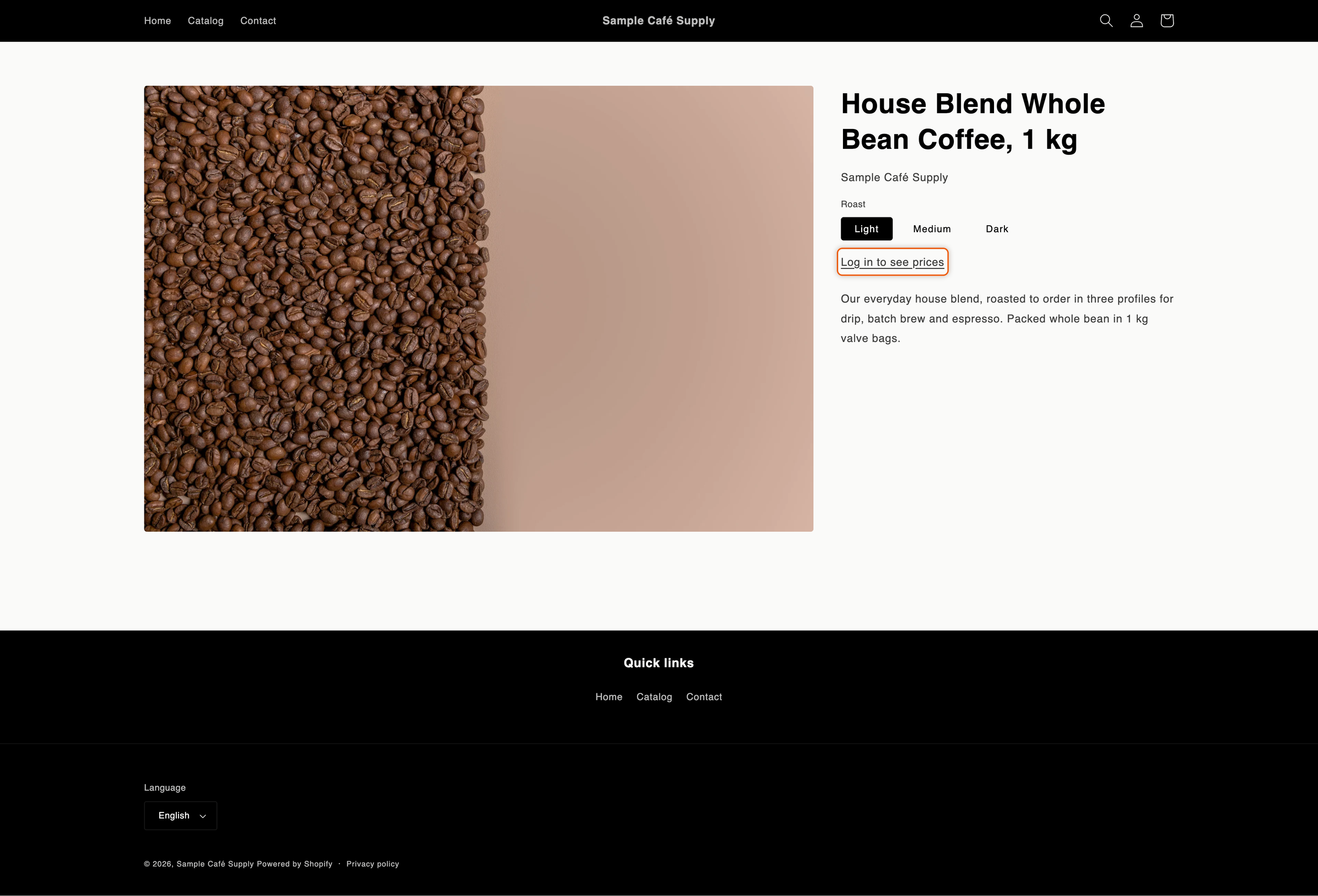
1. **As a guest.** Open your store in a private browser window. On a product page, such as one of your coffee beans, the price is replaced by your replacement text. **Add to cart**, **Buy it now** and the quantity picker are gone. Collection pages and search results show the text in place of each price too.
2. **Click the text.** It opens your store's log-in page. After logging in, the buyer comes back to the page they were on.
3. **As a logged-in customer who isn't approved.** Prices and buttons stay hidden. The replacement text opens the customer's account instead of the log-in page.
4. **As an approved buyer.** Log in as a customer who buys for a company, or whose **B2B approved** is on. Prices and buy buttons show as normal.

<figure><img src="https://3844812229-files.gitbook.io/~/files/v0/b/gitbook-x-prod.appspot.com/o/spaces%2FRrf4pQPgjvb3GW7IN3Ci%2Fuploads%2Fgit-blob-5a1e85cbe3a9e90381fbd39a0b170c18c0839f7a%2Fscreenshot-storefront-hide-prices-product-page.png?alt=media" alt="A product page showing the link &#x22;Log in to see prices&#x22; in place of the price, with no Add to cart or Buy it now button."><figcaption><p>Visitors who aren't approved see your replacement text as a log-in link instead of the price and buy buttons.</p></figcaption></figure>

{% hint style="warning" %}
Nothing is hidden in the theme editor, so you can still design your pages. If you don't see a change on the storefront, check that you aren't in the theme editor, that the app embed is on, and that **Test mode** is off. While test mode is on, the rules apply only to tagged test customers. See [Test your access rules](/sami-b2b-onboarding/store-access/test-mode.md).
{% endhint %}

## What is hidden and what isn't

| Hidden from visitors who aren't approved                                            | Still shown                                                              |
| ----------------------------------------------------------------------------------- | ------------------------------------------------------------------------ |
| Prices on product pages, collection pages, search results, quick view and quick add | Prices in the cart page and cart drawer, so a cart always adds up        |
| **Add to cart**, **Buy it now** and other express checkout buttons on product pages | Prices at checkout                                                       |
| The quantity picker on product pages, and quick add buttons                         | Prices on a logged-in customer's own account pages, such as their orders |
|                                                                                     | Gift card pages                                                          |

The app recognizes the price and buy-button markup of most themes, including Online Store 2.0 themes such as Dawn. If a price or button still shows somewhere in your theme, [contact support](/sami-b2b-onboarding/help/contact-support.md).

A product can still reach the cart in other ways, for example from a link straight to the cart. That's why the checkout block matters: it stops the order at checkout.

## Translate the replacement text

The text you type on **Access** is your store's default wording. To show it in another language:

{% stepper %}
{% step %}

### Open the language

Go to **Settings › Translate**. Next to the language, click **Translate**. If the language isn't listed, click **Add language** first.
{% endstep %}

{% step %}

### Find the text

In the list on the left, under **Storefront**, click **Storefront messages**. In the **Store access** card, find **Hidden price text**.
{% endstep %}

{% step %}

### Translate and save

Type the translation and click **Save** in the save bar.
{% endstep %}
{% endstepper %}

Buyers see the translation when they browse your store in that language. In a language you haven't translated, they see the text from **Access**.

## Next steps

* [Lock the store](/sami-b2b-onboarding/store-access/lock-the-store.md) — hide the whole store, not just its prices.
* [Block checkout until approved](/sami-b2b-onboarding/store-access/block-checkout-until-approved.md) — stop unapproved buyers at checkout.
* [Test your access rules](/sami-b2b-onboarding/store-access/test-mode.md) — try the rules on your own account first.
* [Translate](/sami-b2b-onboarding/settings/translate.md) — translate everything else buyers read.


---

# Agent Instructions
This documentation is published with GitBook. GitBook is the documentation platform designed so that both humans and AI agents can read, navigate, and reason over technical content effectively. Learn more at gitbook.com.

## Querying This Documentation
If you need additional information that is not directly available in this page, you can query the documentation dynamically by asking a question.

Perform an HTTP GET request on the current page URL with the `ask` query parameter, and the optional `goal` query parameter:

```
GET https://docs.samita.io/sami-b2b-onboarding/store-access/hide-prices-and-add-to-cart.md?ask=<question>&goal=<endgoal>
```

`ask` is the immediate question: it should be specific, self-contained, and written in natural language.
`goal` is optional and describes the broader end goal you are ultimately trying to accomplish on behalf of the user. GitBook uses it to tailor the answer towards what is most useful for that goal.

The response will contain a direct answer to the question and relevant excerpts and sources from the documentation.

Use this mechanism when the answer is not explicitly present in the current page, you need clarification or additional context, or you want to retrieve related documentation sections.