
按客户定位
根据登录状态、订单历史、消费金额、标签等,向特定客户群体显示徽章。
基于客户的定位让您可以根据浏览商店的人显示不同的徽章,依据包括登录状态、订单数量、消费金额和其他客户属性。
可用的客户条件
Section titled “可用的客户条件”| 条件类型 | 运算符 | 值字段 |
|---|---|---|
| Customer | Is Logged In / Not Logged In | — |
| Customer tag | is equal to / is not equal to | 您现有 Shopify 客户标签的多选列表 |
| Customer order count | is equal to / is not equal to / is greater than / is less than | 数字 |
| Customer total spent | is equal to / is not equal to / is greater than / is less than | 数字 |
| Customer purchase | Product already purchased / Product not purchased | — |
| Customer company name | is equal to / is not equal to | 文本 |
如何设置按客户定位
Section titled “如何设置按客户定位”-
打开 Display 标签页
Section titled “打开 Display 标签页”在徽章编辑器中,打开 Display,然后展开 Customer conditions。
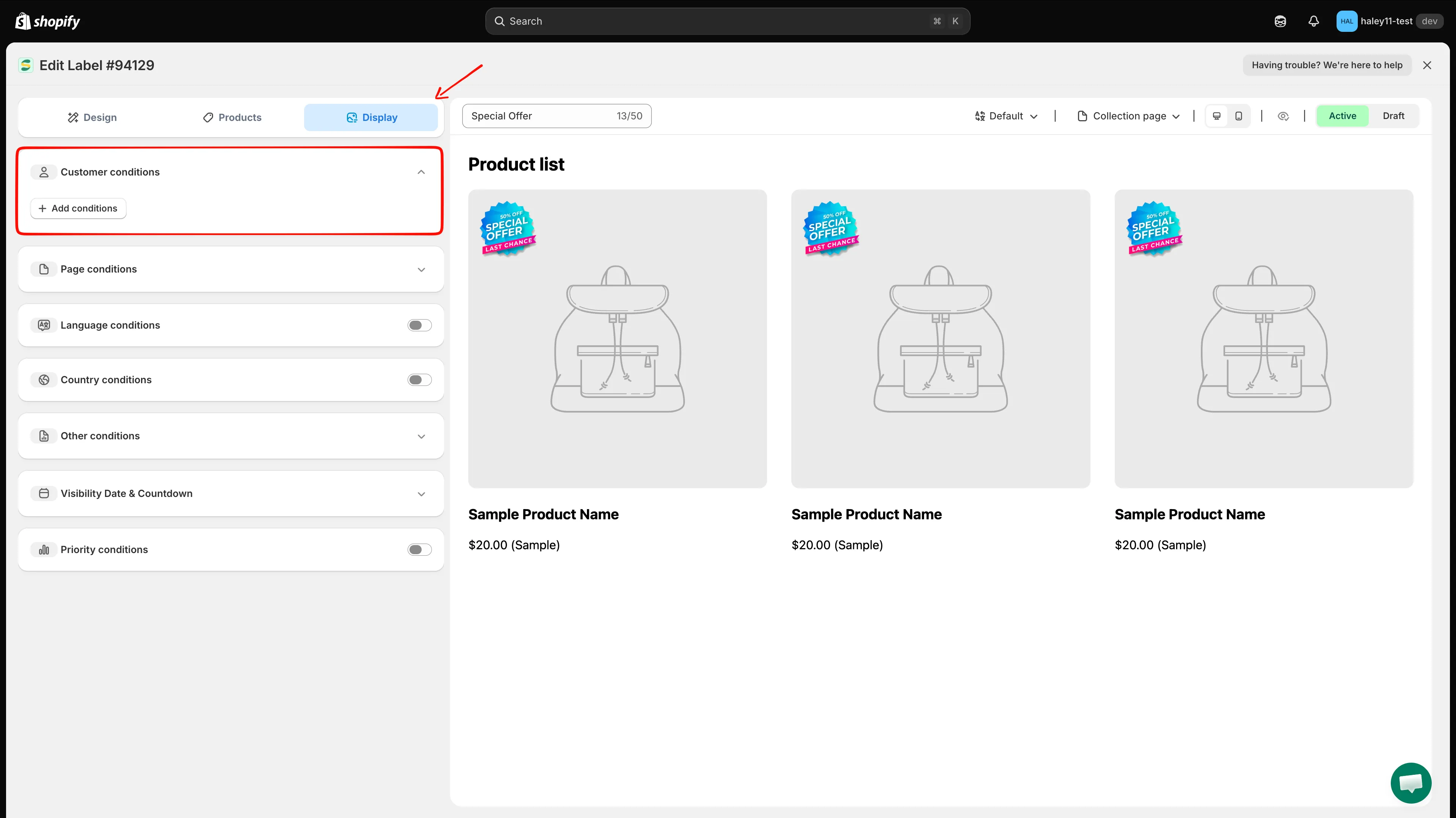
打开 Display 标签页并展开 Customer conditions。
-
添加客户条件
Section titled “添加客户条件”点击 Add conditions。会出现一行新规则,预填为 Customer / Is Logged In。打开第一个下拉菜单可选择其他客户条件。
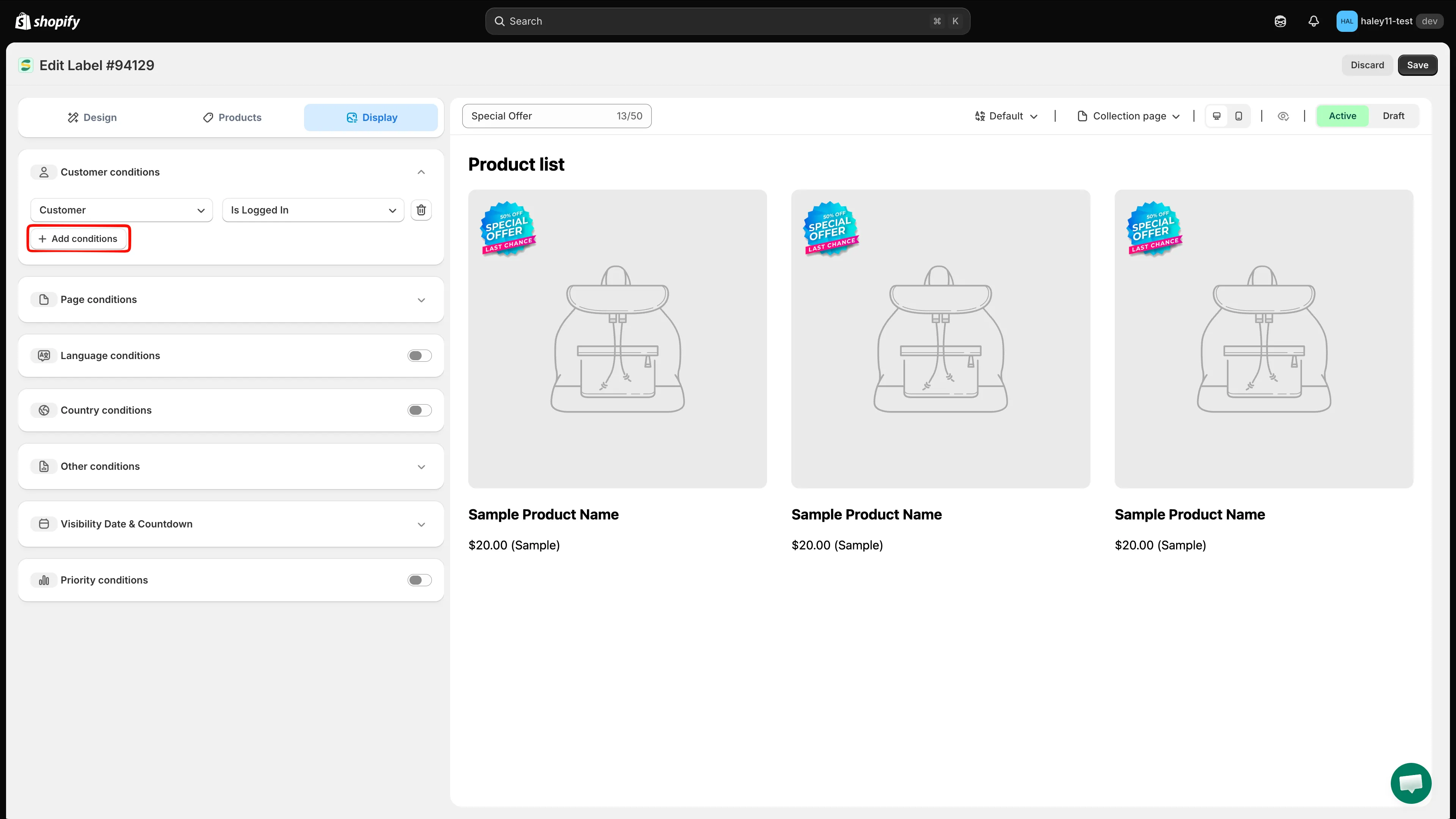
可选择 Customer、Customer tag、Customer order count、Customer total spent、Customer purchase 或 Customer company name。
-
配置运算符和值
Section titled “配置运算符和值”在第二个下拉菜单中选择运算符,然后在第三个字段中输入或选择值。例如,将 Customer order count 设置为 is greater than,值为 10。
对于 Customer tag,第三个字段是可搜索的列表,列出您商店中已有的客户标签,请勾选一个或多个标签,而不是自由输入文字。
Customer 和 Customer purchase 没有第三个字段,仅由运算符定义规则。Customer purchase 只检查客户以前是否购买过商品,因此无需选择产品。
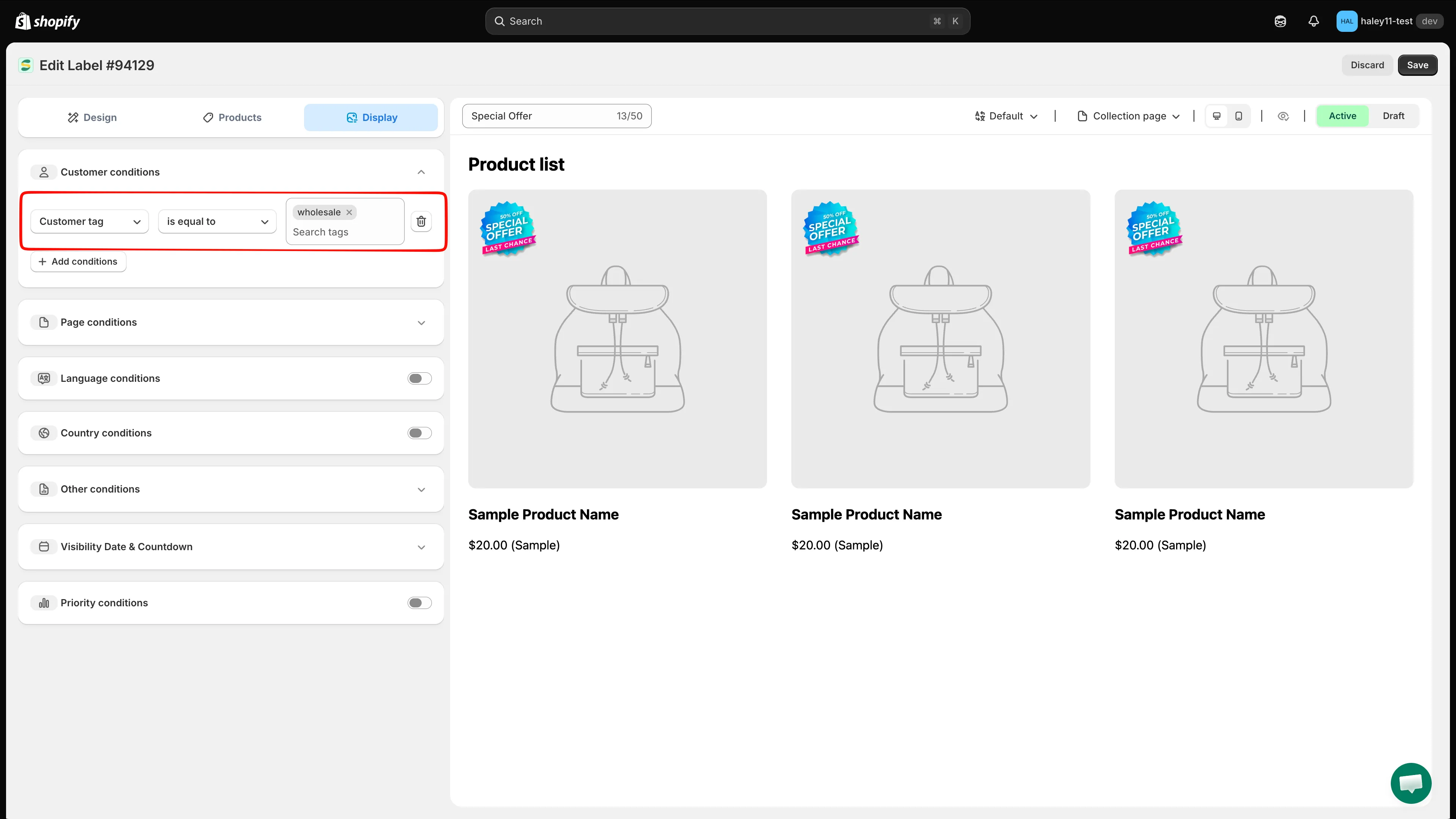
示例:向标签等于 wholesale 的客户显示徽章。
-
添加更多条件(可选)
Section titled “添加更多条件(可选)”再次点击 Add conditions 可叠加更多规则。客户条件始终以 AND 组合,也就是说,购物者必须符合您添加的每一条客户规则。此部分没有 any/all 切换开关。
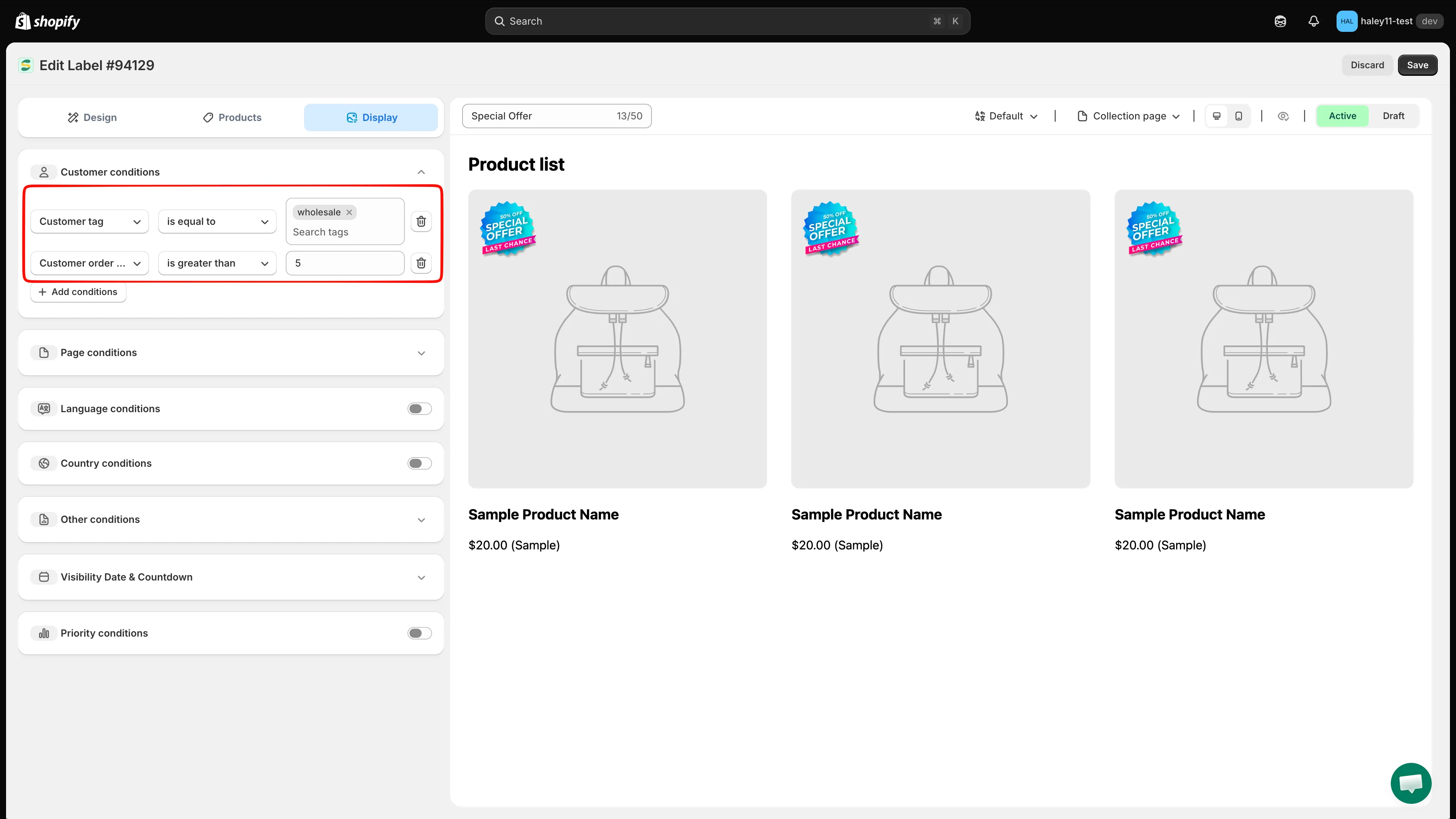
多个客户条件必须全部匹配。
-
点击 Save 应用客户定位。徽章将仅向符合条件的访客显示。
使用场景和示例
Section titled “使用场景和示例”面向忠实客户的 VIP 徽章
Section titled “面向忠实客户的 VIP 徽章”向已下过 10 笔或以上订单的购物者显示“VIP”或“Loyal Customer”徽章:
- **条件:**Customer order count is greater than 9
- **结果:**拥有 10 笔以上订单的已登录客户会在目标产品上看到 VIP 徽章。
面向回访访客的欢迎回来徽章
Section titled “面向回访访客的欢迎回来徽章”向所有已登录的客户显示“Welcome Back”徽章:
- **条件:**Customer Is Logged In
- **结果:**所有已登录的客户都会看到个性化的欢迎徽章。
面向高消费客户的专属优惠
Section titled “面向高消费客户的专属优惠”向消费超过 $500 的客户显示“Special Price”徽章:
- **条件:**Customer total spent is greater than 500
- **结果:**高价值客户会看到专属价格徽章。
面向 B2B 客户的批发徽章
Section titled “面向 B2B 客户的批发徽章”向属于特定公司的客户显示批发价格徽章:
- **条件:**Customer company name is equal to “Wholesale Partners Ltd”
- **结果:**来自该公司的 B2B 客户会看到相应的徽章。
基于标签的定位
Section titled “基于标签的定位”使用 Shopify 客户标签来定位已保存的客户群体:
- **条件:**Customer tag is equal to,然后在标签列表中勾选 VIP
- **结果:**只有在 Shopify 中带有 VIP 标签的客户会看到该徽章。
面向首次购买者的欢迎优惠
Section titled “面向首次购买者的欢迎优惠”仅向从未在您这里购买过的客户显示“First Order Discount”徽章:
- **条件:**Customer purchase Product not purchased
- **结果:**徽章仅向没有购买记录的已登录客户显示。
面向现有客户的感谢徽章
Section titled “面向现有客户的感谢徽章”向所有下过订单的客户显示“Thanks for coming back”徽章:
- **条件:**Customer purchase Product already purchased
- **结果:**徽章会向至少有过一笔订单的已登录客户显示。
组合客户条件和产品条件
Section titled “组合客户条件和产品条件”您可以在同一个徽章中将客户条件与产品属性条件结合使用。例如:
- Customer order count is greater than 5 AND Product type is equal to “Premium”
- 结果:只有订单数达到 5 笔以上的回头客会看到徽章,且仅限高端产品。
请分别在 Products 中设置产品范围,在 Display 中设置客户规则。购物者必须在查看产品范围内的产品时满足客户规则。按产品属性定位中介绍的 all conditions / any condition 选择器仅属于产品匹配规则,不适用于客户条件。
- 按产品属性定位:根据产品标题、类型、供应商、价格等筛选徽章。
- 按国家/地区和语言定位:向来自特定国家/地区或使用特定商店语言的访客显示徽章。