
方案比較
FREE、PREMIUM 和 PRO 各包含哪些功能,讓您判斷某項功能是真的沒有,還是不在您目前的方案中。
如果本文件中的某項功能沒有出現在您的 App 裡,通常是因為它屬於較高階的方案。本頁依 Pricing plans 中方案卡片的說明,列出各方案包含的內容。
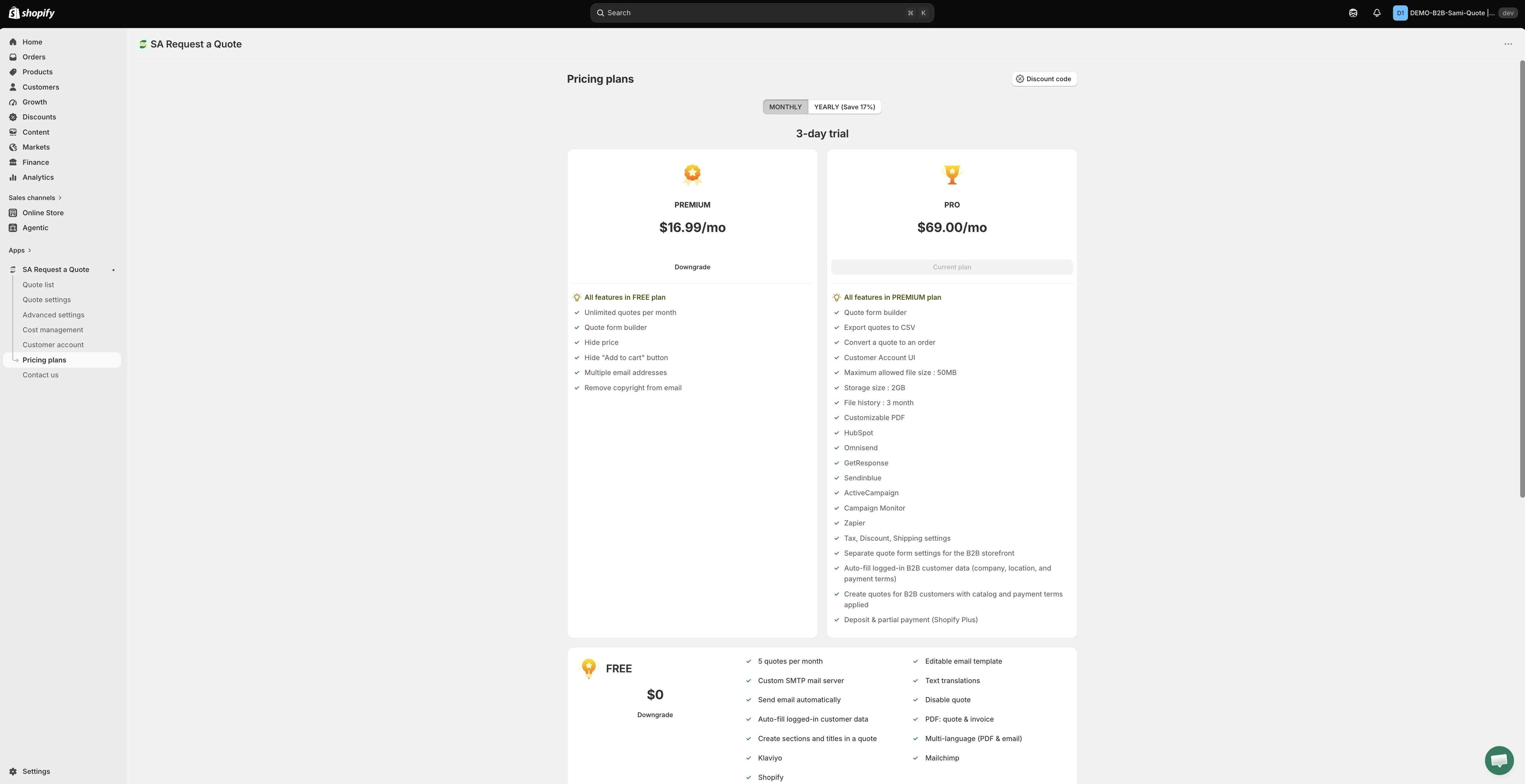
各方案包含的內容,直接取自 App 本身。
| 方案 | 最適合 |
|---|---|
| FREE | 試用 App,或每月只收到少量詢價的商店。 |
| PREMIUM | 正式以報價方式銷售:不限數量的詢價、自己的表單、隱藏價格。 |
| PRO | 將報價轉為已付款訂單,以及 B2B 銷售。 |
價格顯示在 App 中的每張方案卡片上。卡片上方的計費切換可在 MONTHLY 和 YEARLY (Save 17%) 之間切換,卡片上的數字會跟著改變:價格和試用期長度在兩者之間都不同。比較之前,請先將切換設為您打算採用的付款方式,以免拿月費和年費互相比較。
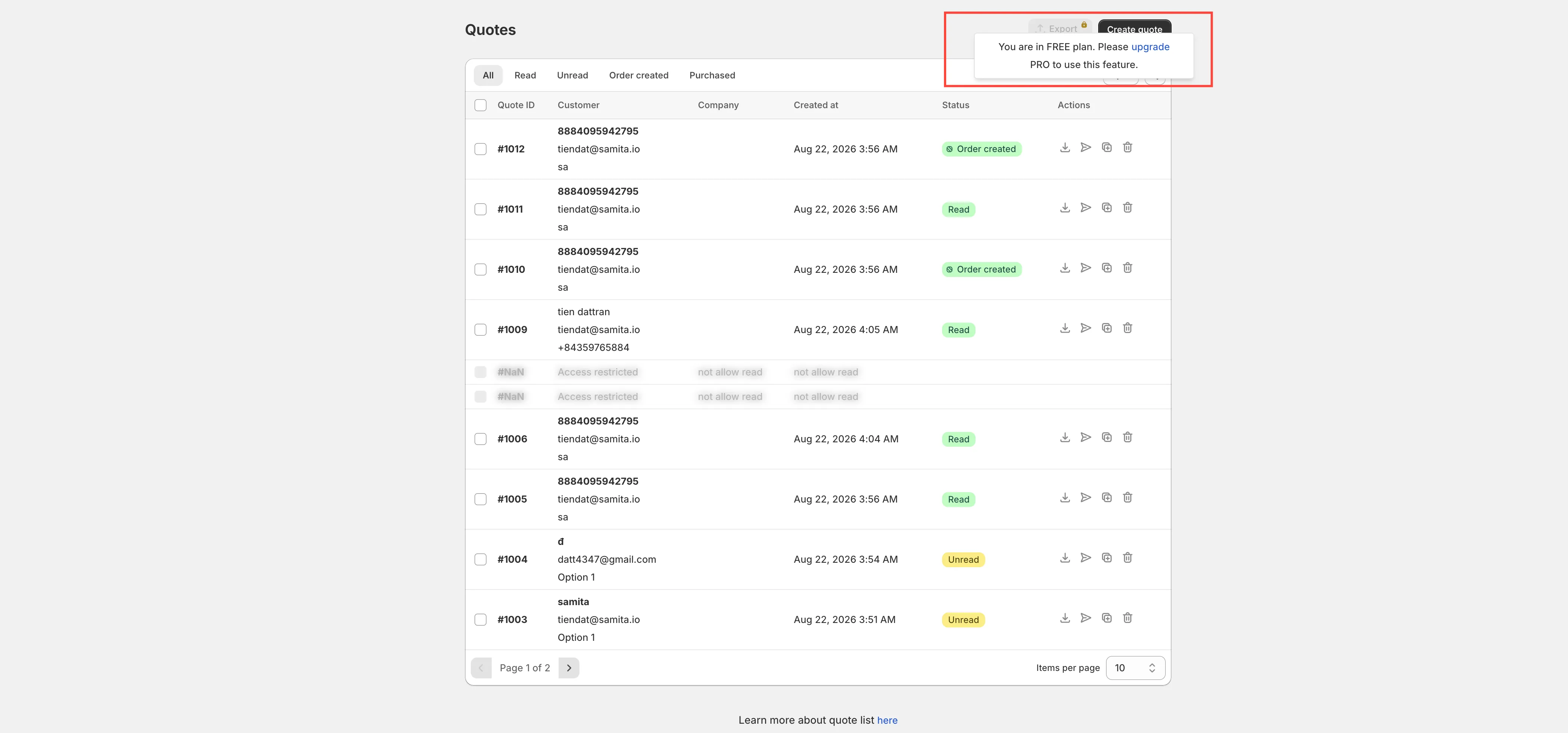
灰色代表方案限制,而非故障
Section titled “灰色代表方案限制,而非故障”當某項功能不在您的方案中時,App 並不會隱藏它。它會把控制項保留在頁面上並停用,顯示一行掛鎖字樣「🔐 This feature is available on …」,附上包含該功能之方案的連結。
因此,無法移動的開關、無法選取的選項或沒有反應的按鈕,通常是方案在作用,而不是 App 損壞、佈景主題有問題或設定錯誤。在提出支援請求之前,請先點擊掛鎖字樣中的連結,或開啟 Pricing plans。
使用 FREE 的商家最常在 Hide price 分頁,以及 Hide Add To Cart button 和 Hide Buy Now button 開關上遇到這種情況。
方案卡片列出:
- 5 quotes per month
- Editable email template
- Custom SMTP mail server
- Text translations
- Send email automatically
- Disable quote
- Auto-fill logged-in customer data
- PDF: quote & invoice
- Create sections and titles in a quote
- Multi-language (PDF & email)
- Klaviyo
- Mailchimp
- Shopify
PREMIUM
Section titled “PREMIUM”- All features in FREE plan
- Unlimited quotes per month
- Quote form builder
- Hide price
- Hide “Add to cart” button
- Multiple email addresses
- Remove copyright from email
- All features in PREMIUM plan
- Quote form builder
- Export quotes to CSV
- Convert a quote to an order
- Customer Account UI
- Maximum allowed file size: 50MB
- Storage size: 2GB
- File history: 3 month
- Customizable PDF
- HubSpot
- Omnisend
- GetResponse
- Sendinblue
- ActiveCampaign
- Campaign Monitor
- Zapier
- Tax, Discount, Shipping settings
- Separate quote form settings for the B2B storefront
- Auto-fill logged-in B2B customer data (company, location, and payment terms)
- Create quotes for B2B customers with catalog and payment terms applied
- Deposit & partial payment (Shopify Plus)
所有方案都有的內容
Section titled “所有方案都有的內容”- 24/7 email support
- Smart B2B solution
- Help docs
- Customizable style
各方案的整合
Section titled “各方案的整合”並非所有整合都只限付費方案,這點常讓人意外。
| 整合 | 方案 |
|---|---|
| Klaviyo, Mailchimp, Shopify | 列於 FREE 方案清單中,因此所有方案都可使用 |
| HubSpot, Omnisend, GetResponse, Sendinblue, ActiveCampaign, Campaign Monitor, Zapier | 列於 PRO 方案清單中 |
| Google reCAPTCHA | 完全沒有列在任何方案清單中,請見下文 |
Google reCAPTCHA 和其他整合一樣出現在 Advanced settings 的 Integrations 分頁中,但它並未列為 FREE、PREMIUM 或 PRO 的功能。由於沒有任何方案宣稱包含它,本頁無法告訴您需要哪個方案。如果這會影響您的選擇,請在訂閱前寄信至 [email protected] 詢問。
各整合的連接方式,請參閱整合總覽。
我需要哪個方案?
Section titled “我需要哪個方案?”| 如果您想要…… | 您需要 |
|---|---|
| 試用 App,每月收集少量詢價 | FREE |
| 每月接收超過 FREE 允許數量的詢價、建立自己的表單,或隱藏價格和 Add to cart 按鈕 | PREMIUM |
| 將報價轉換為訂單、匯出 CSV,或進行 B2B 銷售 | PRO |
查看您自己的方案允許的內容
Section titled “查看您自己的方案允許的內容”方案卡片是對各方案的一般說明。若要查看您自己的商店實際擁有的額度,請開啟 App 儀表板並查看 Pricing plan details。它會顯示 Current plan、Quote number、Storage size、Used storage 和 Maximum file size,並提供 View plan 以直接跳到 Pricing plans。
要回答「我這個月的報價額度用完了嗎?」或「為什麼顧客的檔案被拒絕?」,這張卡片是最快的方法,不必對照本頁再自行計算。
付費方案提供免費試用,讓您在第一次扣款前就能使用這些功能。試用期長度顯示在方案卡片上,且兩種計費週期並不相同,請在將切換設為您打算採用的付款方式後再確認。
您可以在 App 導覽的 Pricing plans 頁面選擇並變更方案。Shopify 負責 App 的計費,因此任何扣款在發生前,您都會在 Shopify 後台中核准。
同一頁還有:若您已取得折扣碼,可使用 Discount code 按鈕;Pricing details 按鈕可查看完整明細;往下則有 Frequently asked questions 區段。