
變更按鈕文字和顏色
變更報價按鈕的文字、形狀、大小和顏色,讓它與您的佈景主題協調搭配。
報價按鈕的文字和外觀都在 Button & widget 標籤中,相隔幾個區段。本頁同時說明兩者。
-
開啟按鈕設定
Section titled “開啟按鈕設定”在應用程式中前往 Quote settings,點擊 Customize,然後開啟 Button & widget 標籤。
-
編輯 Button text
Section titled “編輯 Button text”Button text 是 Quote Button Settings 區段中的第一個欄位。預設為
Add to Quote,說明文字為:「This text appears on product pages and collection pages. Recommended default: Request a Quote.」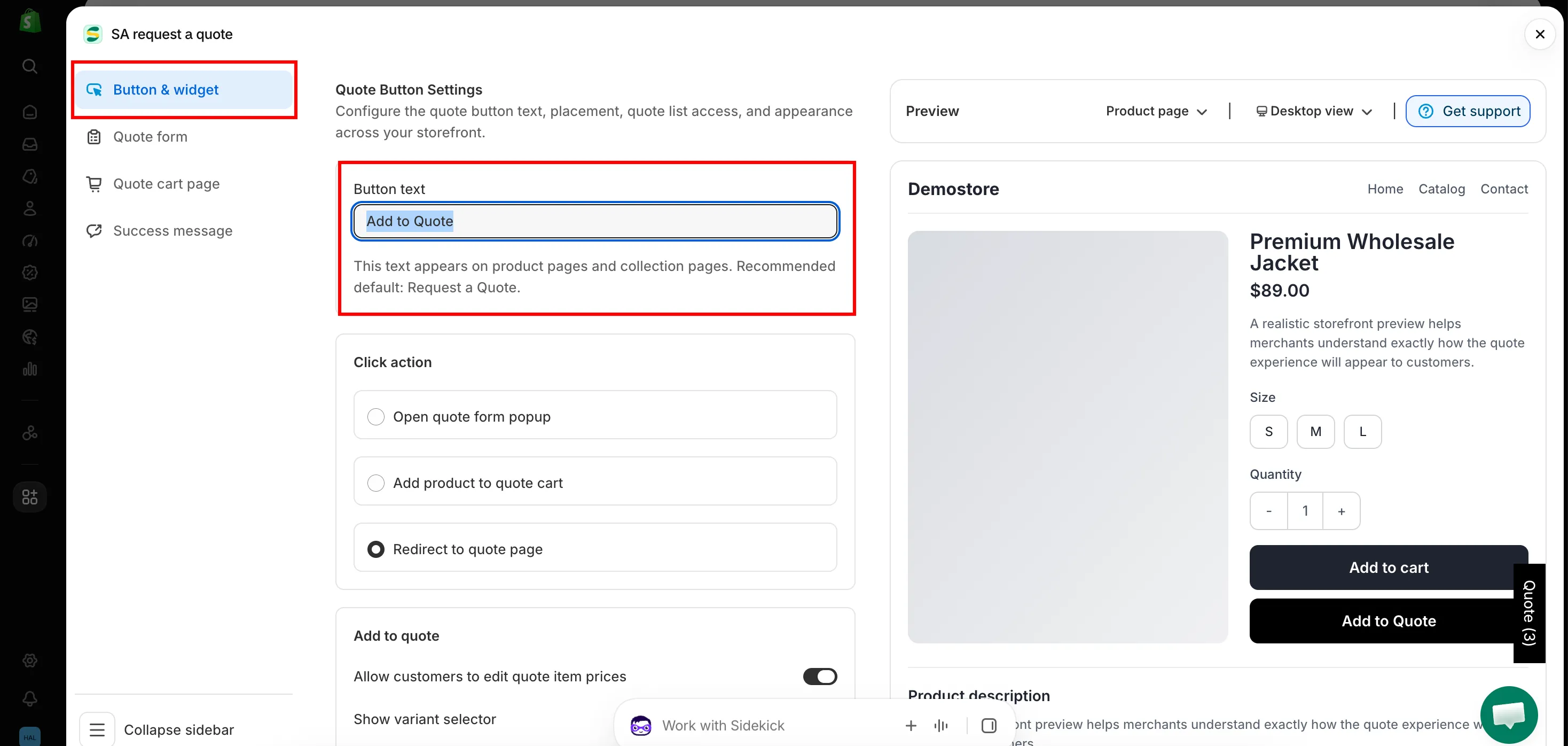
-
儲存並重新載入商店前台
Section titled “儲存並重新載入商店前台”儲存變更後,重新載入商品頁面即可看到新的文字。
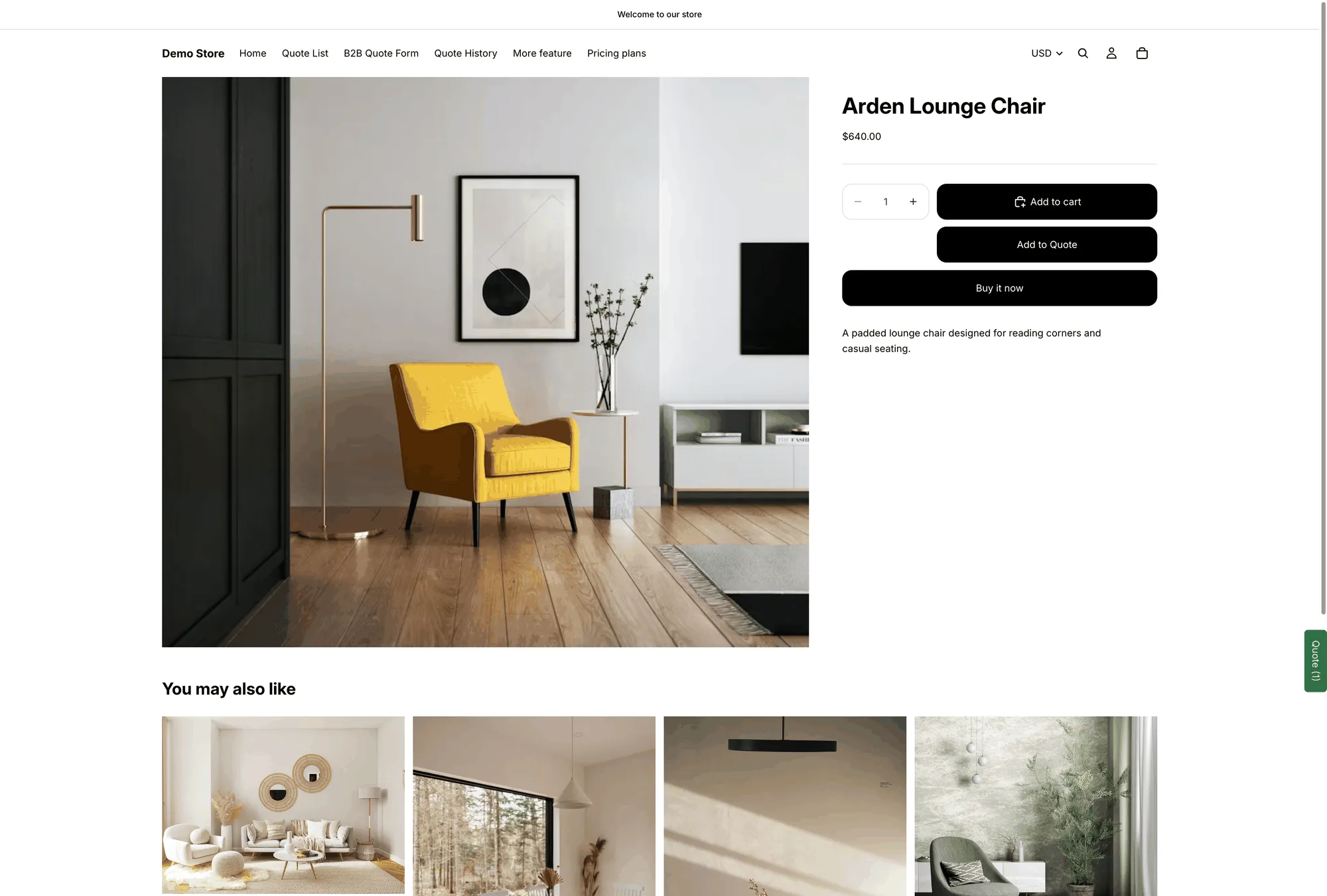
正式商品頁面上的 Button text 文字。
捲動到同一個標籤中的 Style。
| 設定 | 變更內容 |
|---|---|
| Button type | Filled、Outline 或 Text link。Filled 最吸引目光;Text link 最低調。 |
| Size | Medium、Large 或 Full width。Full width 直接放在購買按鈕下方通常最美觀。 |
| Text color | 按鈕上文字的顏色。 |
| Background color | 按鈕的填色。 |
| Font size | 文字大小,單位為 px。 |
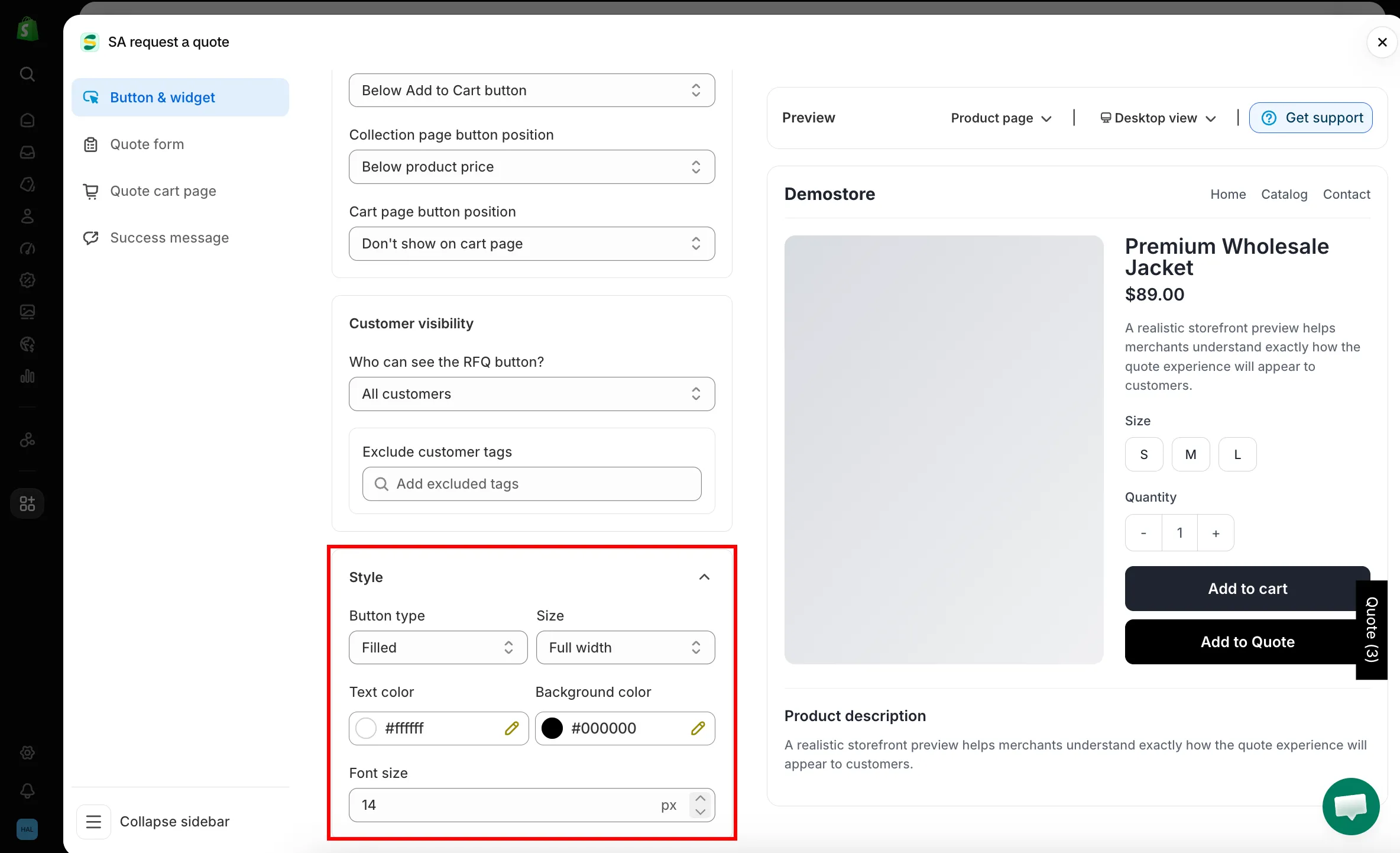
搭配您的佈景主題
Section titled “搭配您的佈景主題”常見的搭配是 Outline,並以佈景主題的強調色作為 Text color:這樣報價按鈕明顯比實心的 Add to Cart 按鈕次要,但仍屬於同一套設計。
如果報價按鈕位於購買按鈕旁邊,請讓它的 Size 與購買按鈕一致,避免這一列看起來參差不齊。
Button text 設定的是預設語言的文字。若要連同顧客看到的其他內容一併翻譯,請使用 Advanced settings 中的 Translations AI:「Translate everything your customers see — quote form, storefront text and both quote emails.」
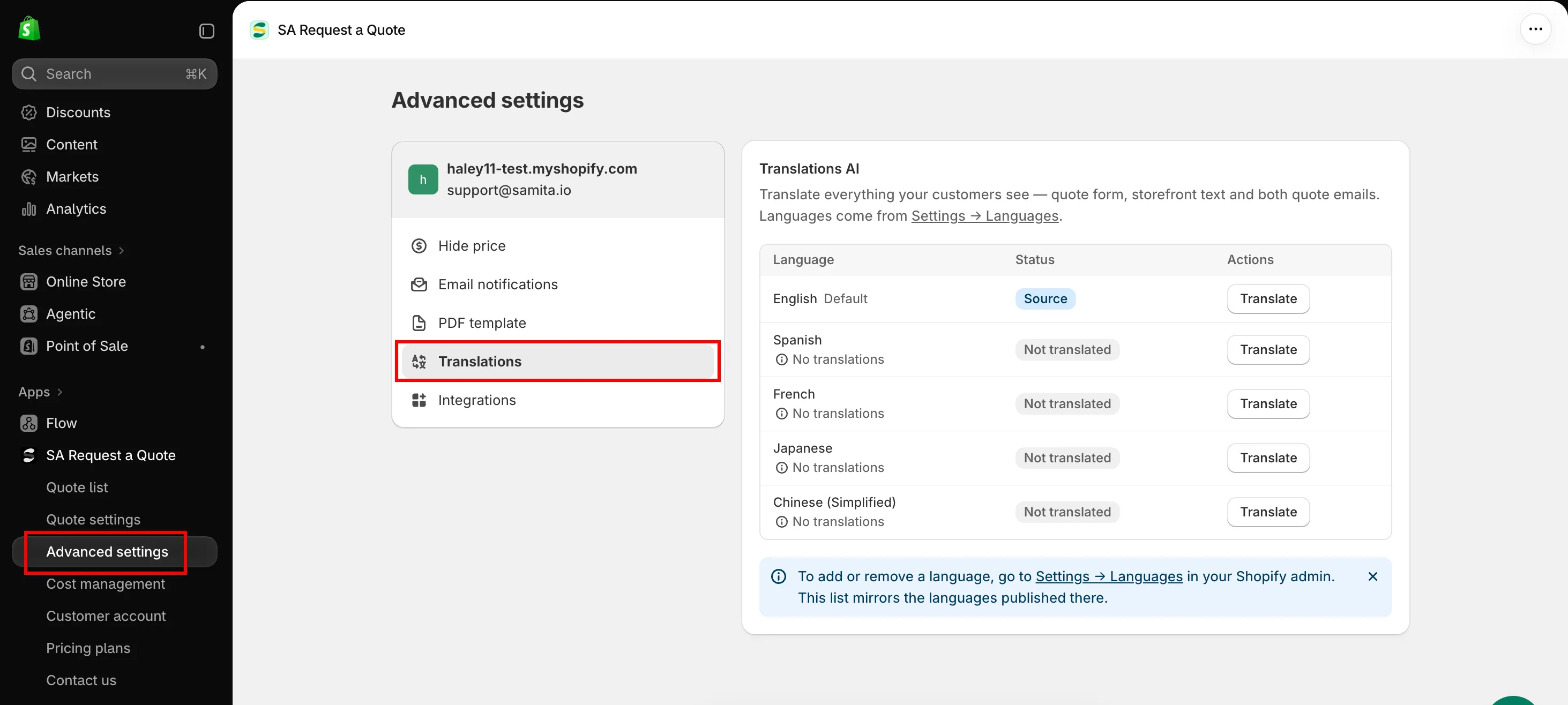
請參閱 翻譯商店前台文字。
- 設定點擊後的行為:顧客點擊後會發生什麼事
- 商品頁面上的報價按鈕:按鈕的位置
- 配合佈景主題樣式:讓報價表單的樣式與佈景主題一致