
報價商品群組
讓顧客將報價購物車中的商品依房間、據點、部門或專案階段分組為具名區段。
一份報價有時涵蓋好幾個不同的項目:三個房間、兩個分店,或是預算各自獨立的不同部門。Enable Quote Sections 讓顧客把一份詢價拆成具名區段,而不必寄給您好幾份報價。
App 的說明是:“Lets customers group the products in their quote cart into named sections.”
-
開啟 Customize 編輯器
Section titled “開啟 Customize 編輯器”前往 Quote settings。在 Request a Quote 頁面上,點擊 Customize。
-
開啟 Quote cart page 分頁
Section titled “開啟 Quote cart page 分頁”這項設定位於 Quote cart page 分頁,而不是 Quote form。
-
開啟 Enable Quote Sections
Section titled “開啟 Enable Quote Sections”開啟 Enable Quote Sections。
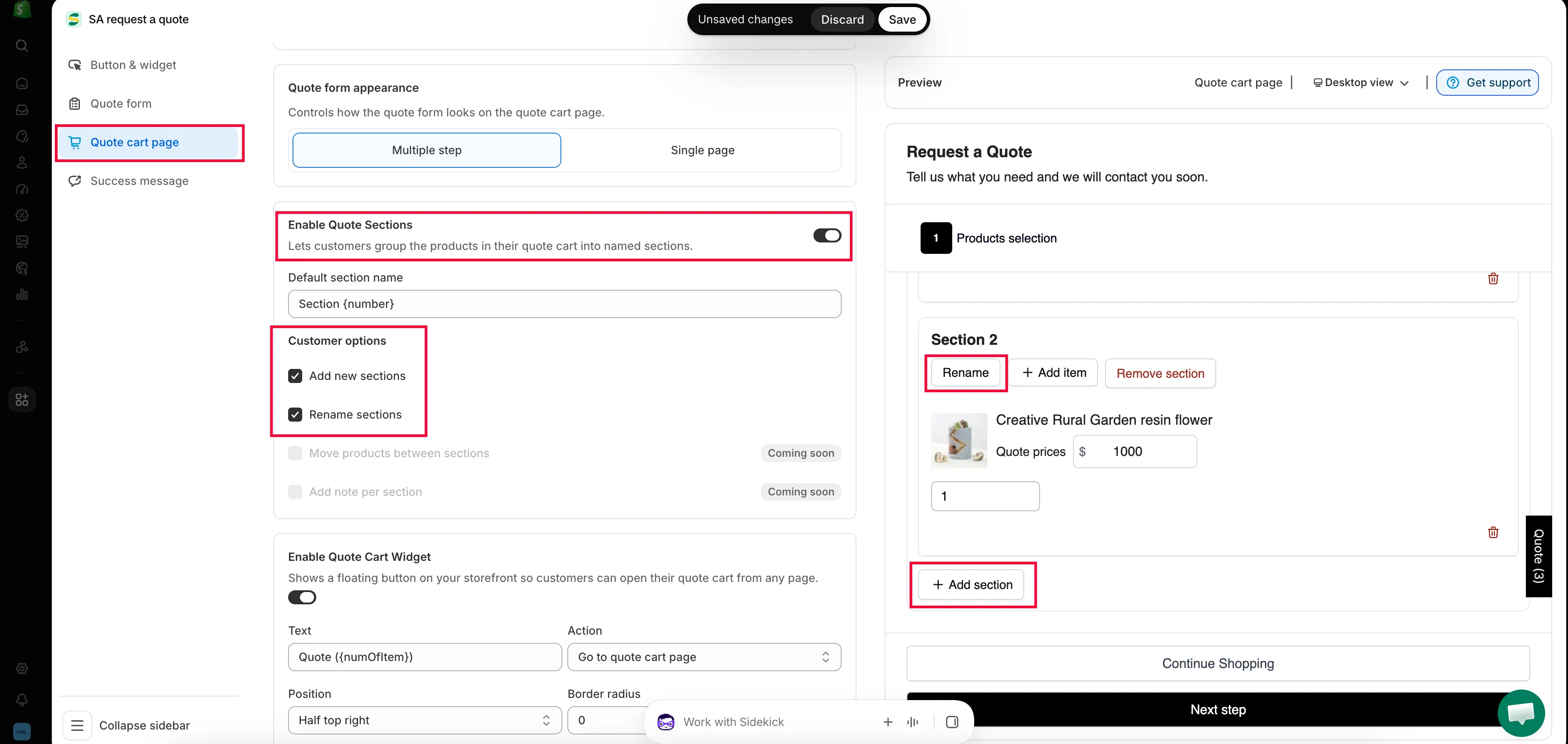
分組可將冗長的報價拆成買家容易理解的區段。
-
儲存變更,然後在商店前台將幾件商品加入報價,並開啟報價購物車頁面。
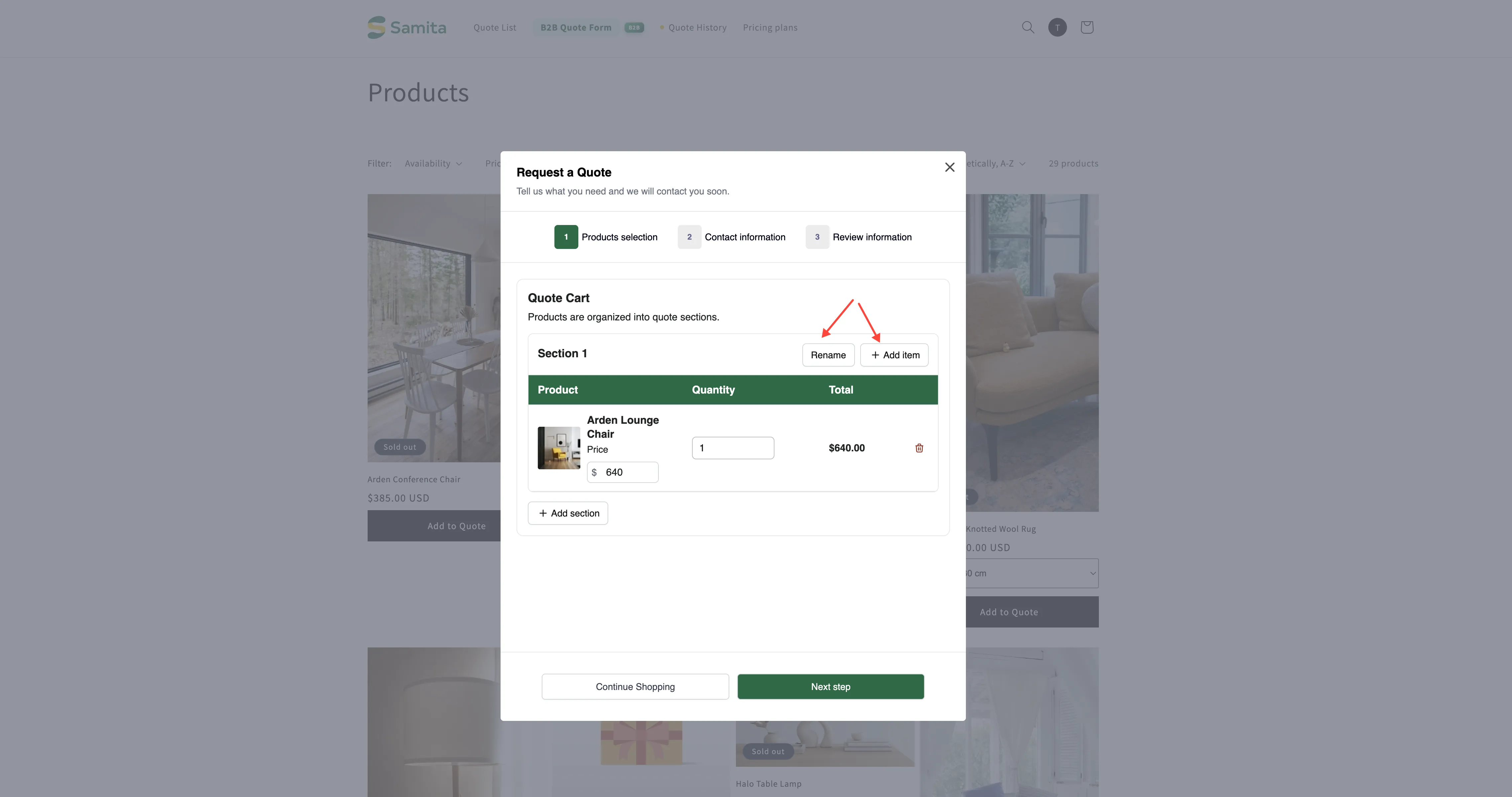
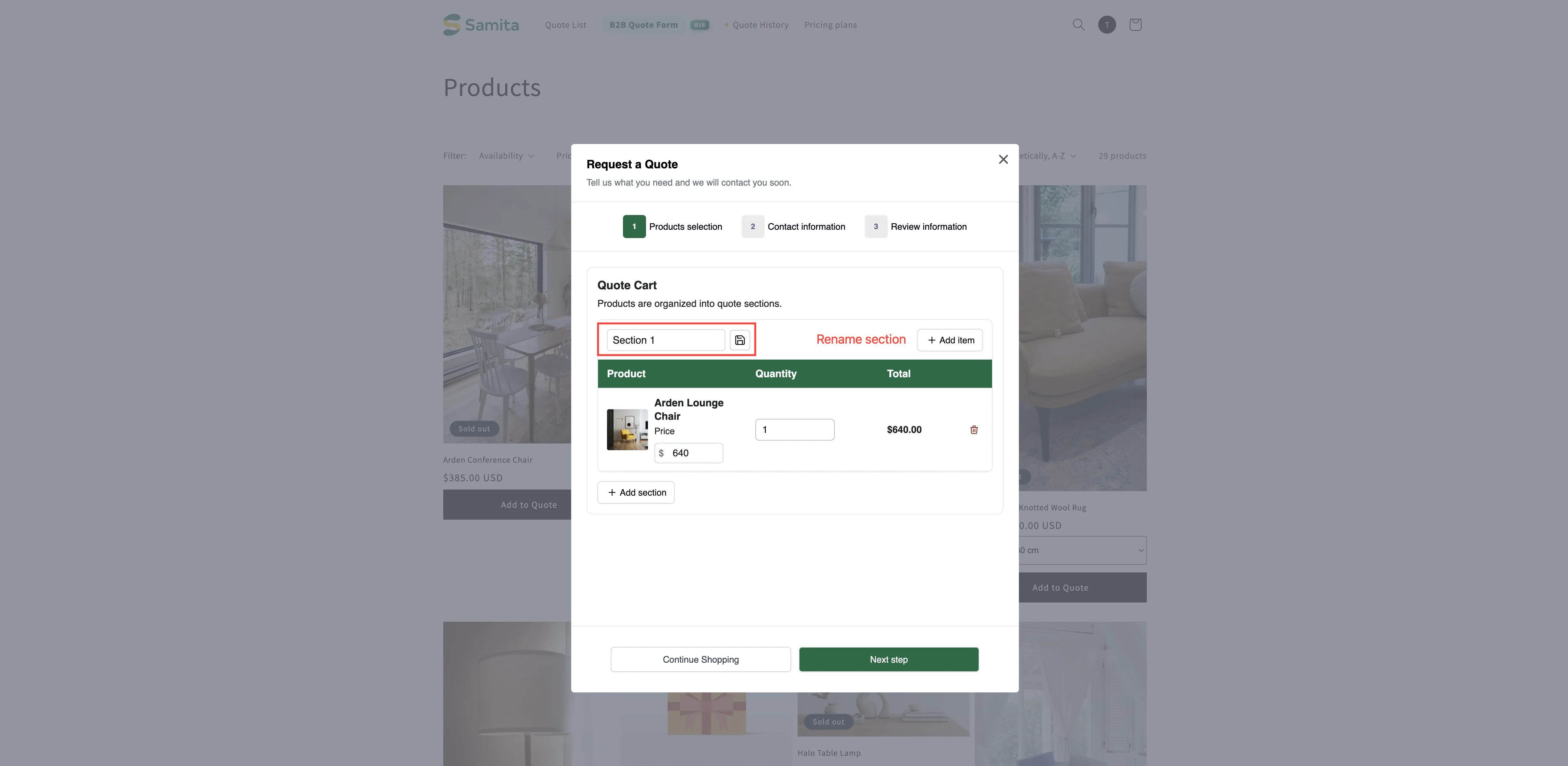
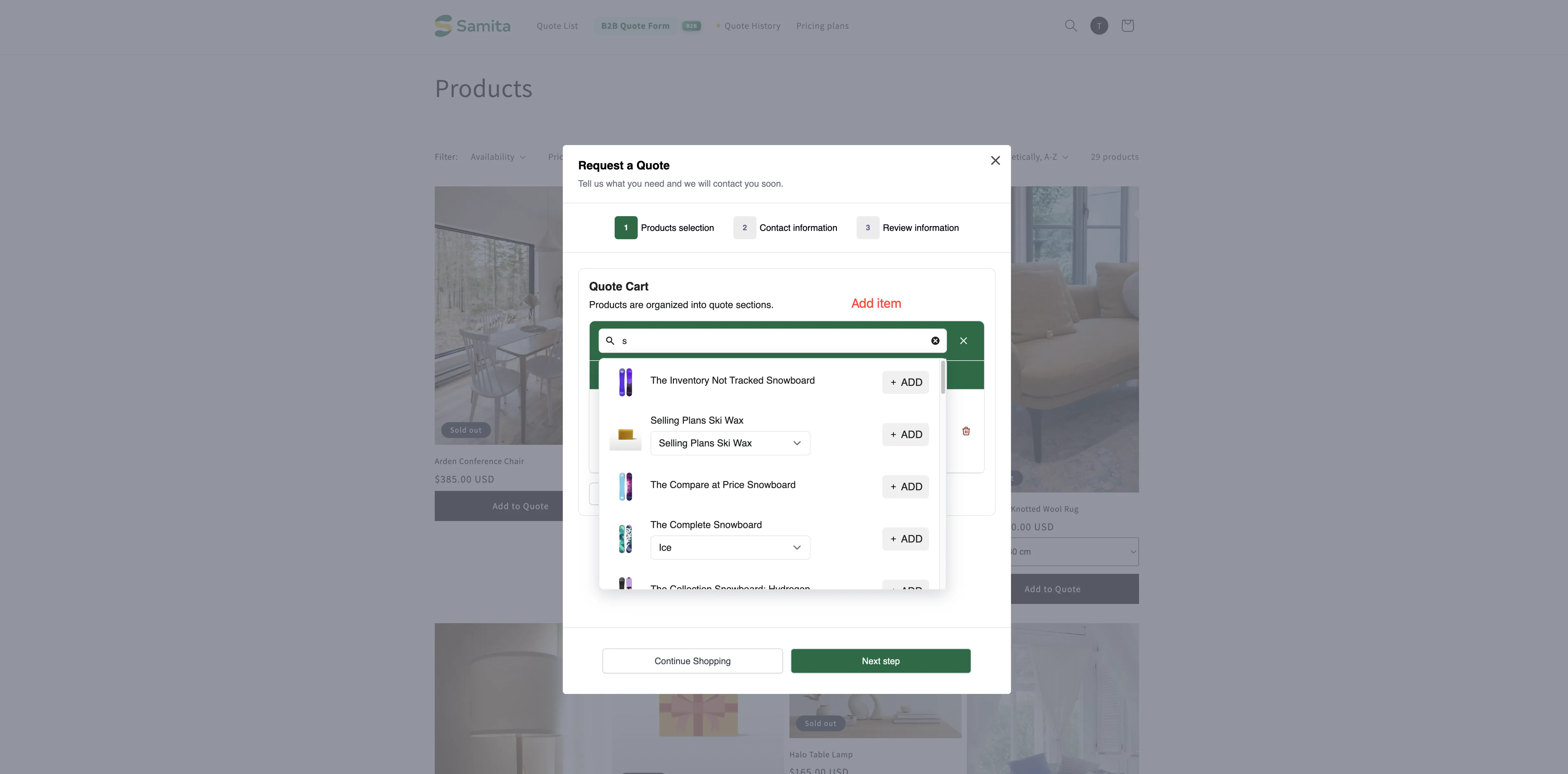
顧客會在報價購物車頁面看到自己的區段。該頁面在 App 中稱為 Quote cart page,發佈為 /pages/request-for-quote 的「Request for quote」頁面,它會 “Shows the quote form and the customer’s quote cart.”
開啟此設定後,該頁面的 Quote Cart 會說明 “Products are organized into quote sections.”,並以 Section 1 作為顧客的起點。分組由顧客自行進行:他們在建立報價時為區段命名,並把自己的商品歸入各區段。這正是重點所在,因為他們清楚每件商品是給哪個房間或據點,而您並不知道。
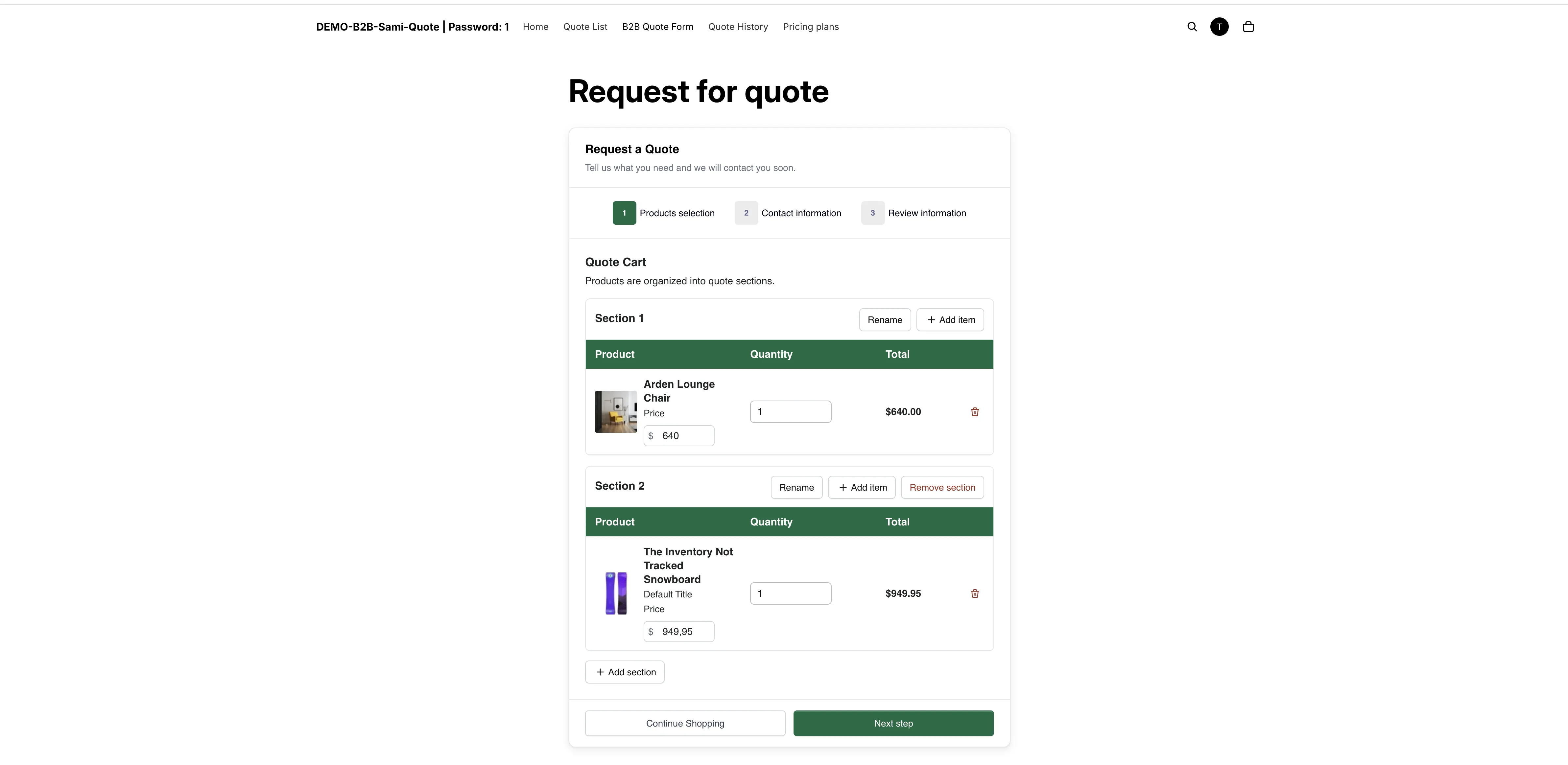
區段讓冗長的詢價更容易閱讀。
收到報價時您會看到什麼
Section titled “收到報價時您會看到什麼”分區段的報價在您開啟時會保留原有的分組。報價詳細資料頁面在明細項目表格旁有專屬的 Create section 控制項,因此在您為工作報價時,可以閱讀並調整顧客送來的結構。
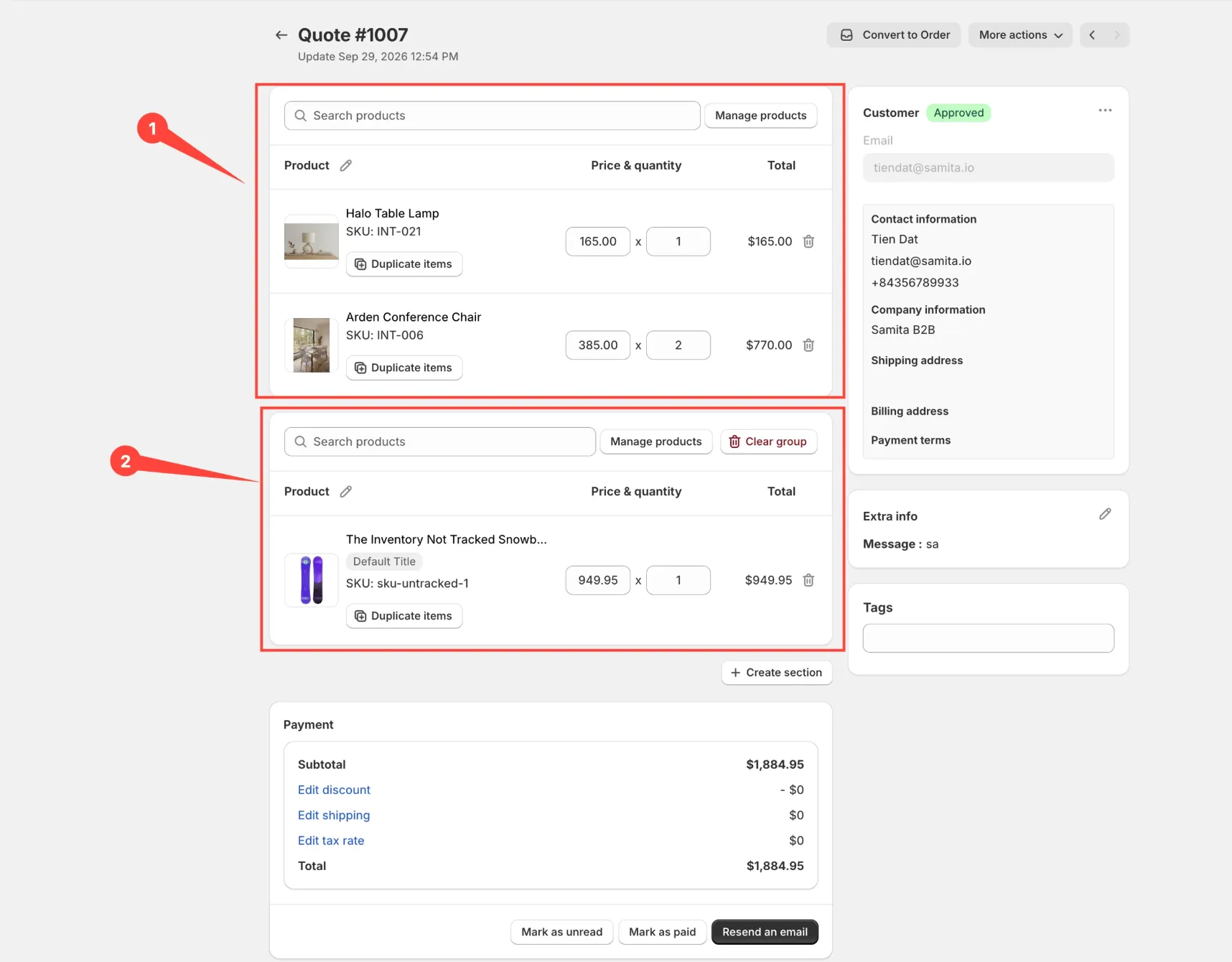
區段會保留在您收到的報價中。
適合使用的情況
Section titled “適合使用的情況”| 情況 | 區段的好處 |
|---|---|
| 為多個房間或據點佈置 | 您可以分別為各區段報價與交貨。 |
| 多個部門,單一買家 | 買家可以拆分費用,而不必送出多份詢價。 |
| 分階段專案 | 依階段分組,讓您依各階段的時程分別報價。 |
同一分頁上的其他設定
Section titled “同一分頁上的其他設定”| 設定 | 功能 |
|---|---|
| Product list columns | "The product details shown as columns in the customer's quote cart." 選項包括 Option、Price 和 Total。 |
| Quote form appearance | "Controls how the quote form looks on the quote cart page." 可選擇 Multiple step 或 Single page。 |
| Enable Quote Cart Widget | "Shows a floating button on your storefront so customers can open their quote cart from any page." 只能變更 Text color 和 Background color。 |