
定價方案
比較 FREE、PREMIUM 和 PRO 方案,切換月繳與年繳,並了解降級會對您的商店前台造成哪些變化。
您的方案決定了可使用哪些功能。如果本文件中描述的某項功能沒有出現在您的 App 裡,請先到這裡確認。
Pricing plans 是 App 導覽中的頂層項目,與 Quote list、Quote settings、Advanced settings、Cost management、Customer account 和 Contact us 並列。
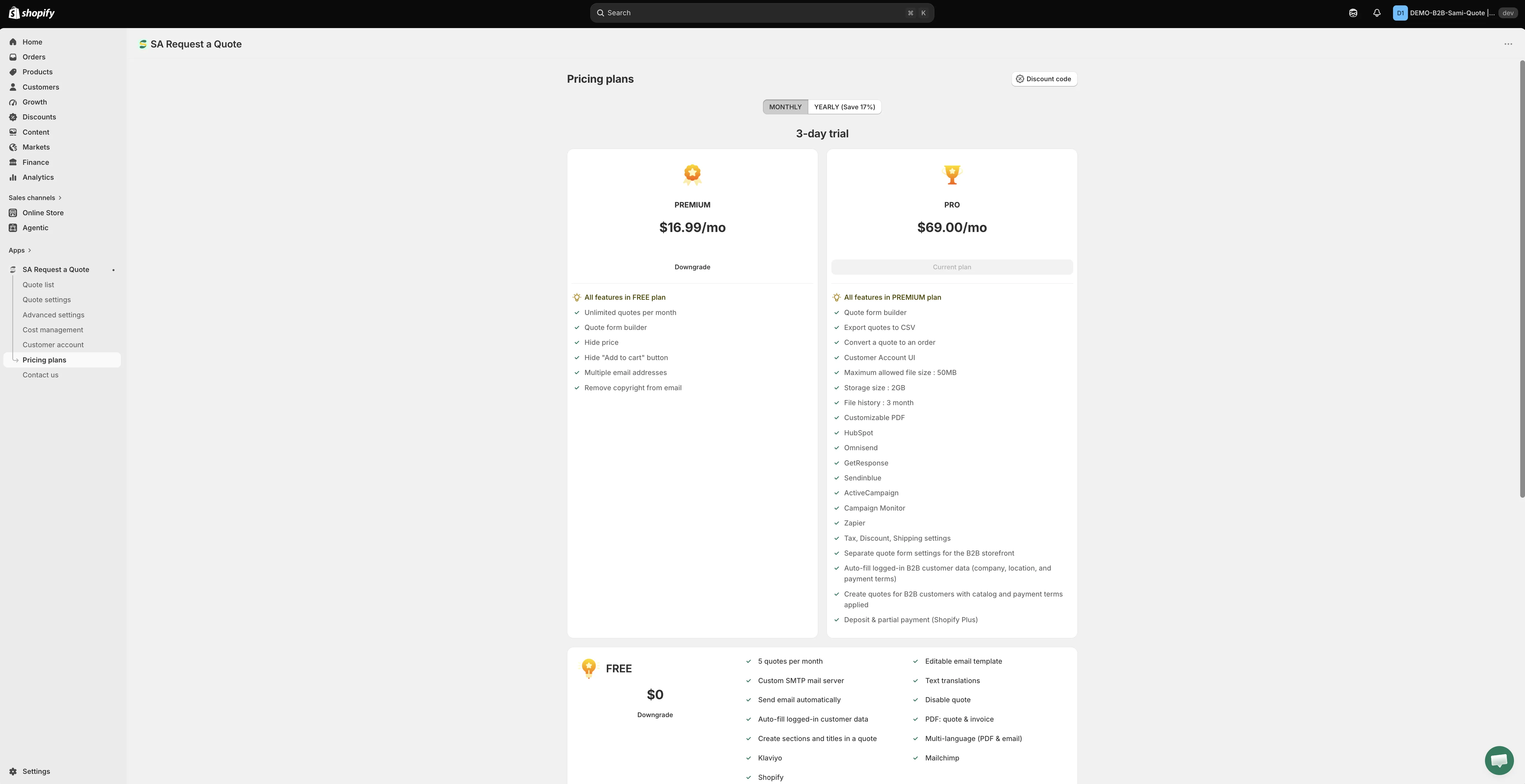
請從此頁面查看目前的價格和試用期,它永遠是最新的。
-
開啟 Pricing plans
Section titled “開啟 Pricing plans”在 App 中前往 Pricing plans。您也可以從儀表板上的 Pricing plan details,使用 View plan 前往。
-
選擇月繳或年繳
Section titled “選擇月繳或年繳”頂端的計費切換可在 MONTHLY 和 YEARLY (Save 17%) 之間切換。方案卡片會隨之改變,因此在決定之前,請以相同基準比較。
-
查看卡片上的試用期
Section titled “查看卡片上的試用期”付費方案提供免費試用。長度顯示在方案卡片上,且兩種計費週期並不相同,因此請在將切換設為您打算採用的付款方式後再閱讀。
-
選擇您想要的方案
Section titled “選擇您想要的方案”請將下方的功能清單與您實際的需求比較。面向商店前台的功能,Hide price 和 Hide “Add to cart” button,是顧客最容易注意到的。
| 方案 | 適合對象 |
|---|---|
| FREE | 測試詢價功能,或每月只處理少量詢價的商店。 |
| PREMIUM | 經常收到報價需求,或需要隱藏價格的商店。 |
| PRO | 將報價轉為訂單、使用更多整合,或處理較大檔案的 B2B 商店。 |
- 5 quotes per month
- Editable email template
- Custom SMTP mail server
- Text translations
- Send email automatically
- Disable quote
- Auto-fill logged-in customer data
- PDF: quote & invoice
- Create sections and titles in a quote
- Multi-language (PDF & email)
- Klaviyo
- Mailchimp
- Shopify
PREMIUM
Section titled “PREMIUM”- All features in FREE plan
- Unlimited quotes per month
- Quote form builder
- Hide price
- Hide “Add to cart” button
- Multiple email addresses
- Remove copyright from email
對商店前台影響最大的兩項是 Hide price 和 Hide “Add to cart” button,請參閱隱藏價格總覽。
- All features in PREMIUM plan
- Quote form builder
- Export quotes to CSV
- Convert a quote to an order
- Customer Account UI
- Maximum allowed file size: 50MB
- Storage size: 2GB
- File history: 3 month
- Customizable PDF
- HubSpot
- Omnisend
- GetResponse
- Sendinblue
- ActiveCampaign
- Campaign Monitor
- Zapier
- Tax, Discount, Shipping settings
- Separate quote form settings for the B2B storefront
- Auto-fill logged-in B2B customer data (company, location, and payment terms)
- Create quotes for B2B customers with catalog and payment terms applied
- Deposit & partial payment (Shopify Plus)
所有方案都有的內容
Section titled “所有方案都有的內容”- 24/7 email support
- Smart B2B solution
- Help docs
- Customizable style
灰色代表方案限制,而非故障
Section titled “灰色代表方案限制,而非故障”當某項功能不在您的方案中時,App 會把控制項保留在原處並停用,顯示一行掛鎖字樣「🔐 This feature is available on …」,附上包含該功能之方案的連結。
因此,無法移動的開關或無法選取的選項,通常是方案在作用,而不是 App 或佈景主題壞了。在 FREE 方案中,您最常在 Hide price 分頁,以及 Hide Add To Cart button 和 Hide Buy Now button 開關上遇到這種情況。
關於計費的問題
Section titled “關於計費的問題”Pricing plans 頁面在方案卡片下方有 Frequently asked questions 區段。請在那裡閱讀,而不是這裡,因為它是依據您的商店實際獲得的報價數字來回答計費問題。
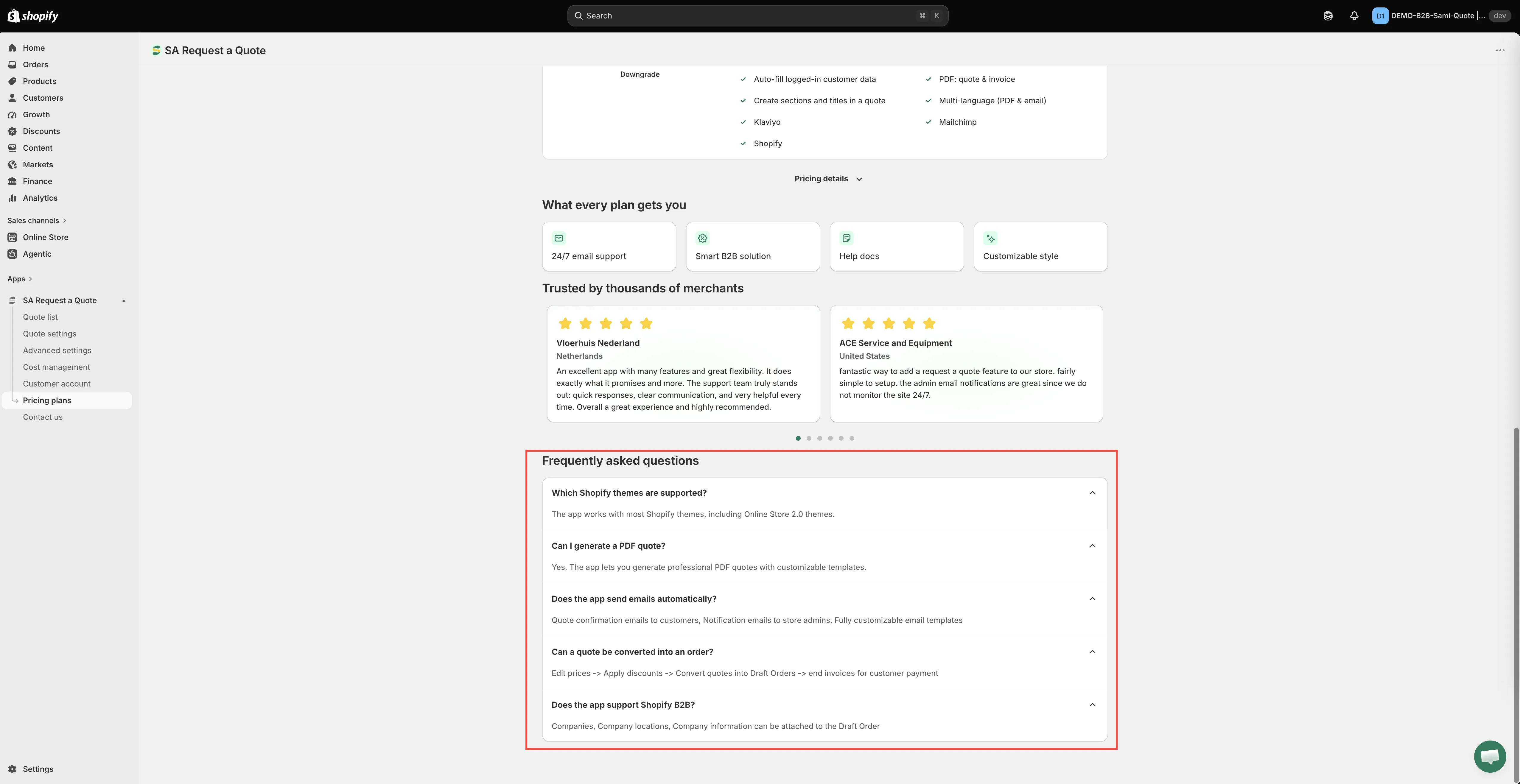
如果它沒有涵蓋您的情況,請在切換之前先詢問,請參閱聯絡支援團隊。
查看您的用量
Section titled “查看您的用量”您不必開啟 Pricing plans 就能了解自己的狀況。儀表板上的 Pricing plan details 卡片會顯示您的 Current plan,以及 Quote number、Storage size、Used storage 和 Maximum file size,View plan 則會帶您前往完整頁面。
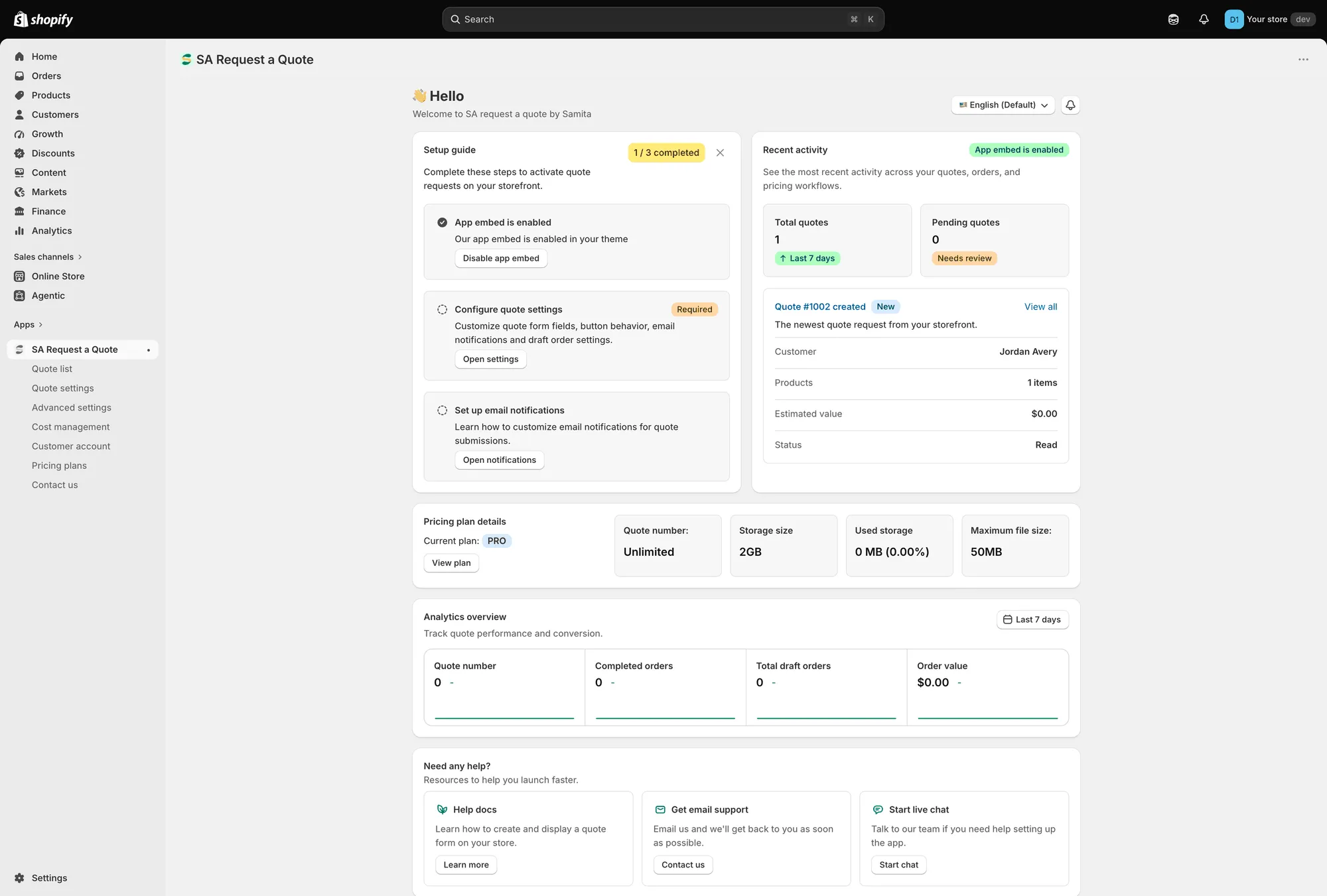
儀表板上的 Pricing plan details,附有 View plan。
如果您接受隨詢價上傳的檔案,儲存空間就很重要,請參閱允許檔案上傳。
建議先做的事:
- 匯出您的報價(如果您依賴歷史記錄):Export quotes to CSV 是 PRO 功能,所以請趁還能使用時進行。請參閱將報價匯出為 CSV。
- 確認還有哪些屬於 PRO:Convert a quote to an order 和 Customer Account UI 也屬於該方案,因此建立在它們之上的工作流程將無法再使用。
- 事後檢查您的商店前台:在登出狀態下確認它的行為仍如您所預期。
降級之後,新方案不包含的功能其控制項會被停用,並附上上述的掛鎖字樣。