
在報價郵件中附加 PDF
開啟 Attach PDF file,讓報價郵件附上 PDF,並設定用來產生該 PDF 的 Quote PDF 範本。
企業買家通常需要的是文件而不是電子郵件,例如用來歸檔、轉寄核准,或附在採購單上的文件。應用程式可以隨郵件一併寄送,並依據您的 Quote PDF 範本產生。
開啟附件功能
Section titled “開啟附件功能”Attach PDF file 位於 Mail notifications 編輯器的 PDF attachment 區段。
-
開啟 Mail notifications 編輯器
Section titled “開啟 Mail notifications 編輯器”前往 Advanced settings > Email notifications,然後點擊 Mail notifications 列末端的圖示按鈕。
-
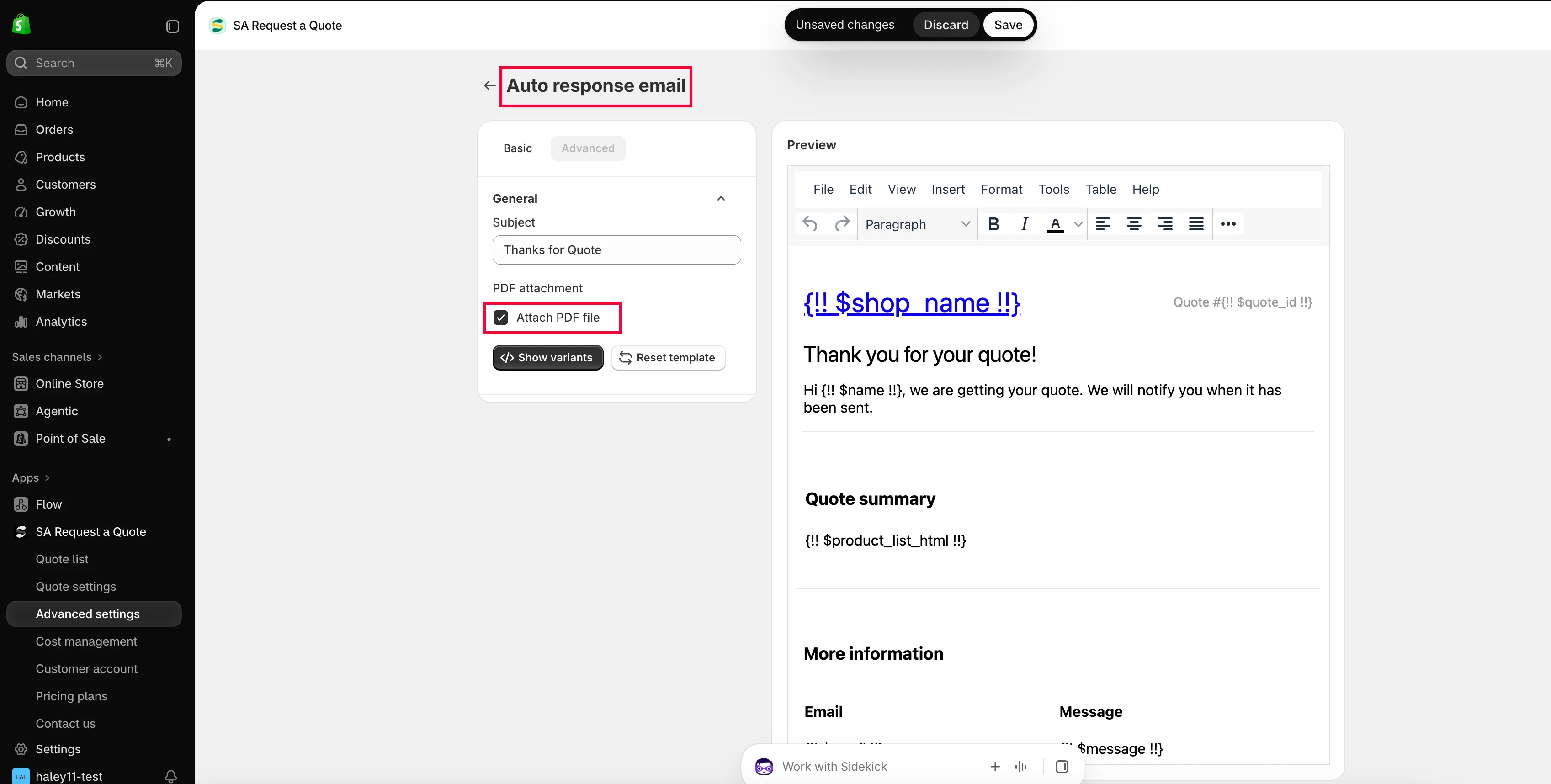
勾選 Attach PDF file
Section titled “勾選 Attach PDF file”在 Basic 標籤中,捲動到 PDF attachment,勾選 Attach PDF file。
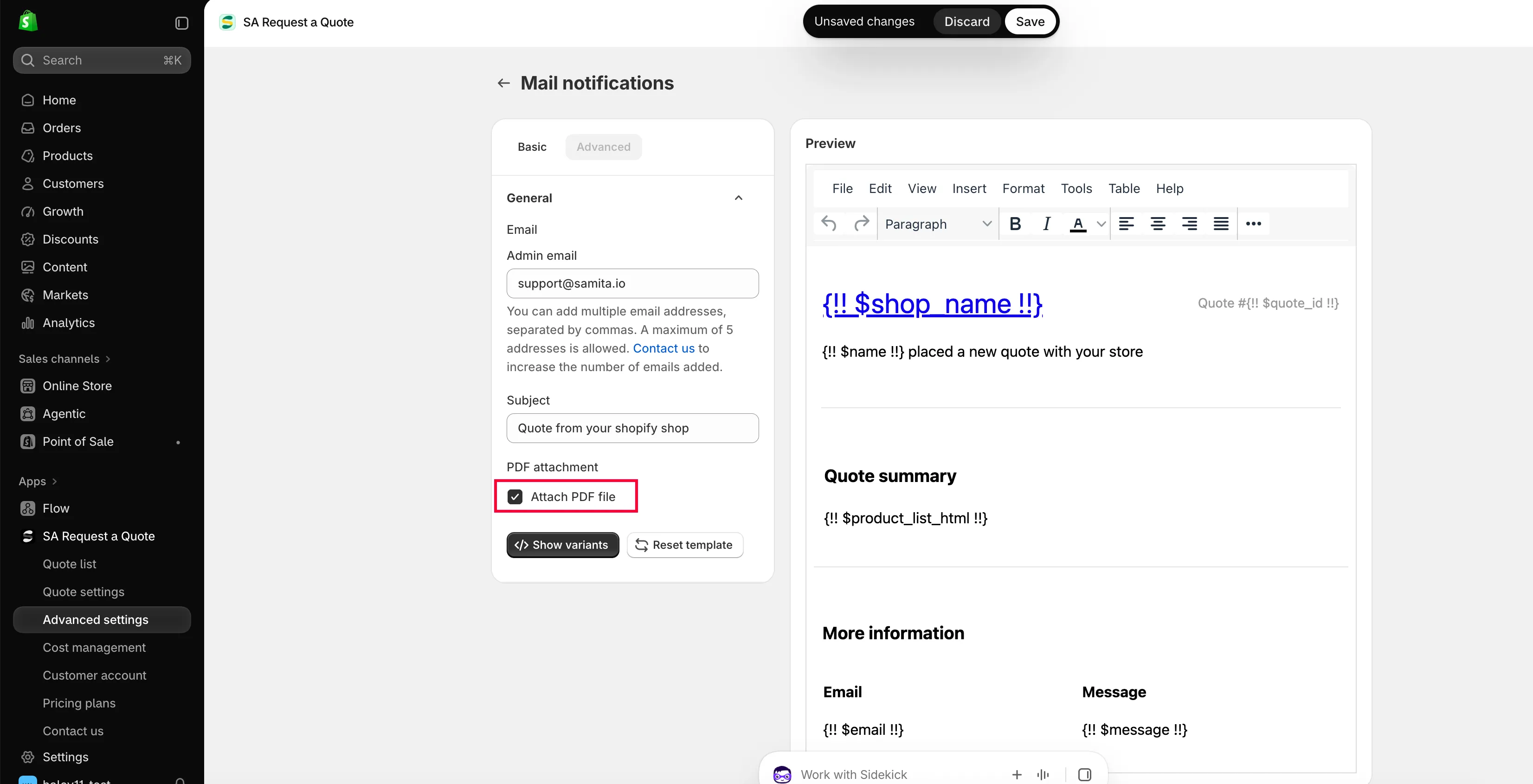
附件是郵件的設定,而不是 PDF 範本的設定。
-
儲存並寄一份給自己
Section titled “儲存並寄一份給自己”儲存後,在您自己的商店前台送出一份測試報價,並開啟收到的附件。
設定 Quote PDF 範本
Section titled “設定 Quote PDF 範本”-
前往 PDF template 標籤
Section titled “前往 PDF template 標籤”在 Advanced settings 中選擇 PDF template。共有兩個範本:
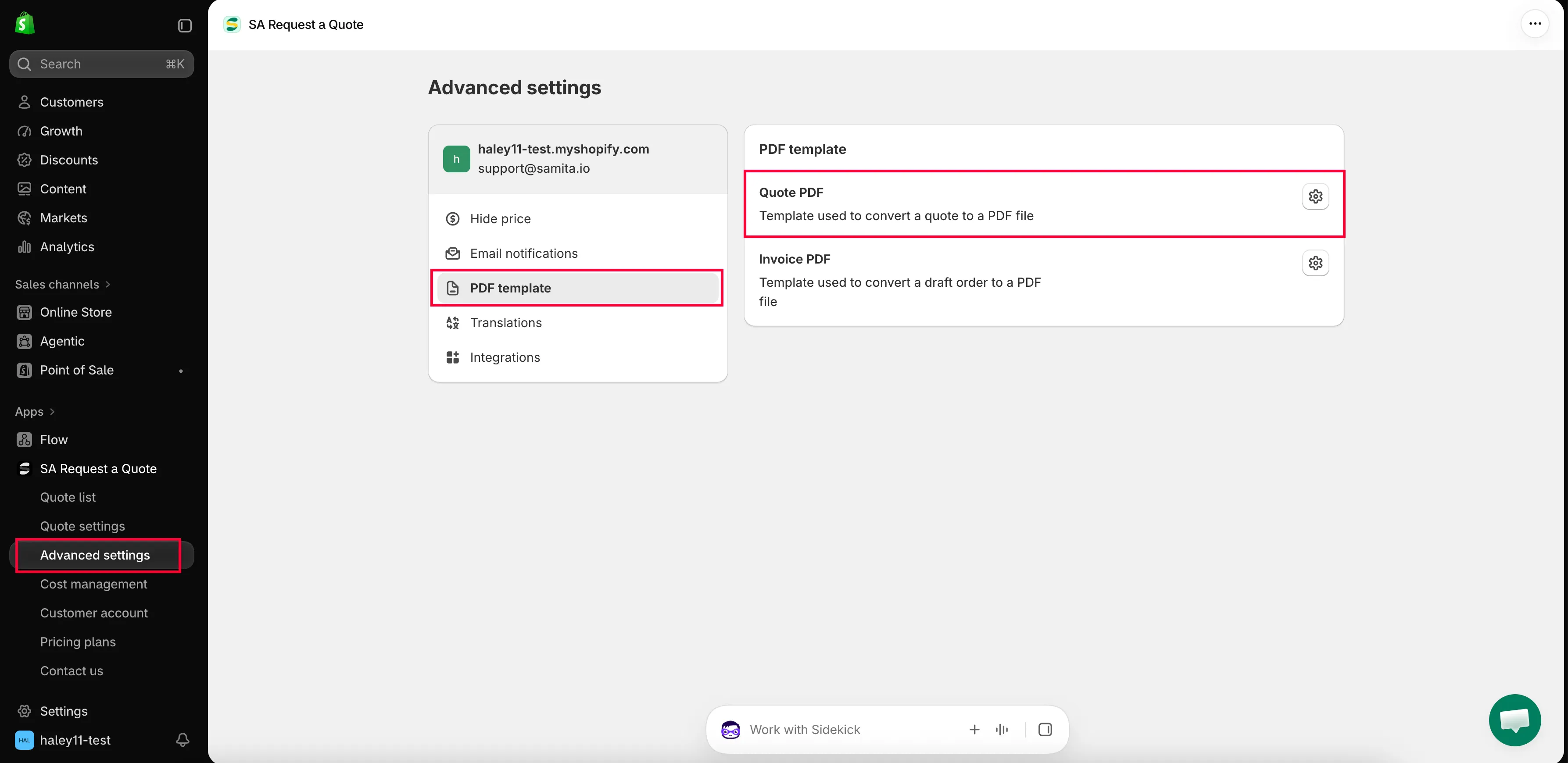
文件本身是在 PDF template 標籤中設計。
-
開啟 Quote PDF
Section titled “開啟 Quote PDF”Quote PDF 是「Template used to convert a quote to a PDF file」。開啟後會前往 Quote PDF template,其中分為 Design、Content 和 Translations。
-
選擇文件上要顯示的內容
Section titled “選擇文件上要顯示的內容”Content 是一組核取方塊,分為 Quote info、Quote products 和 Other information。請勾選報價單上需要的項目,並取消勾選不需要的項目。
-
查看 Preview,然後儲存
Section titled “查看 Preview,然後儲存”Preview 會顯示文件產生後的樣子。儲存前請先檢查一遍。
| 群組 | 可顯示的內容 |
|---|---|
| Quote info | Quote ID, Issue date (with Choose date format), Payment terms, Discount, Tax, Shipping, Subtotal, Grand total. |
| Quote products | Show product image, Show vendor, Show SKU, Show variants and options, Show quantity, Show price, Show total. |
| Other information | Quote from, Customer information, Shipping address, Additional information. |
另外還有 Column width(33% 或 100%)和 Note。完整說明請參閱 自訂報價 PDF。
不使用自動附件寄送文件
Section titled “不使用自動附件寄送文件”您不必在每封郵件中都附加 PDF。請在側邊欄開啟 Quote list;Quotes 頁面上的每一列都有四個動作:download PDF、send email、duplicate 和 delete。
| 動作 | 適用時機 |
|---|---|
| download PDF | 買家要求提供可附在您自己回覆中的文件,或您需要留一份備份。 |
| send email | 您要從應用程式回覆顧客。 |
詳細步驟請參閱 將報價下載為 PDF 和 寄送報價單。
您的方案包含的內容
Section titled “您的方案包含的內容”| 方案 | 您可獲得的內容 |
|---|---|
| FREE | PDF: quote & invoice, and Multi-language (PDF & email). |
| PRO | Customizable PDF,並包含 PREMIUM 的所有內容。 |
完整清單請參閱 方案比較。
- 自訂報價 PDF:報價文件上的每個切換選項
- 將報價下載為 PDF:將報價下載為 PDF
- 翻譯報價郵件:以其他語言提供報價和郵件