
更改按钮文字和颜色
更改报价按钮的文字、形状、大小和颜色,使其与您的模板协调搭配。
报价按钮的文字和外观都在 Button & widget 标签页上,相隔几个部分。本页将两者一并介绍。
-
打开按钮设置
Section titled “打开按钮设置”在应用中,前往 Quote settings 并点击 Customize,然后打开 Button & widget 标签页。
-
编辑 Button text
Section titled “编辑 Button text”Button text 是 Quote Button Settings 部分的第一个字段。默认值为
Add to Quote,帮助文字为:“This text appears on product pages and collection pages. Recommended default: Request a Quote.”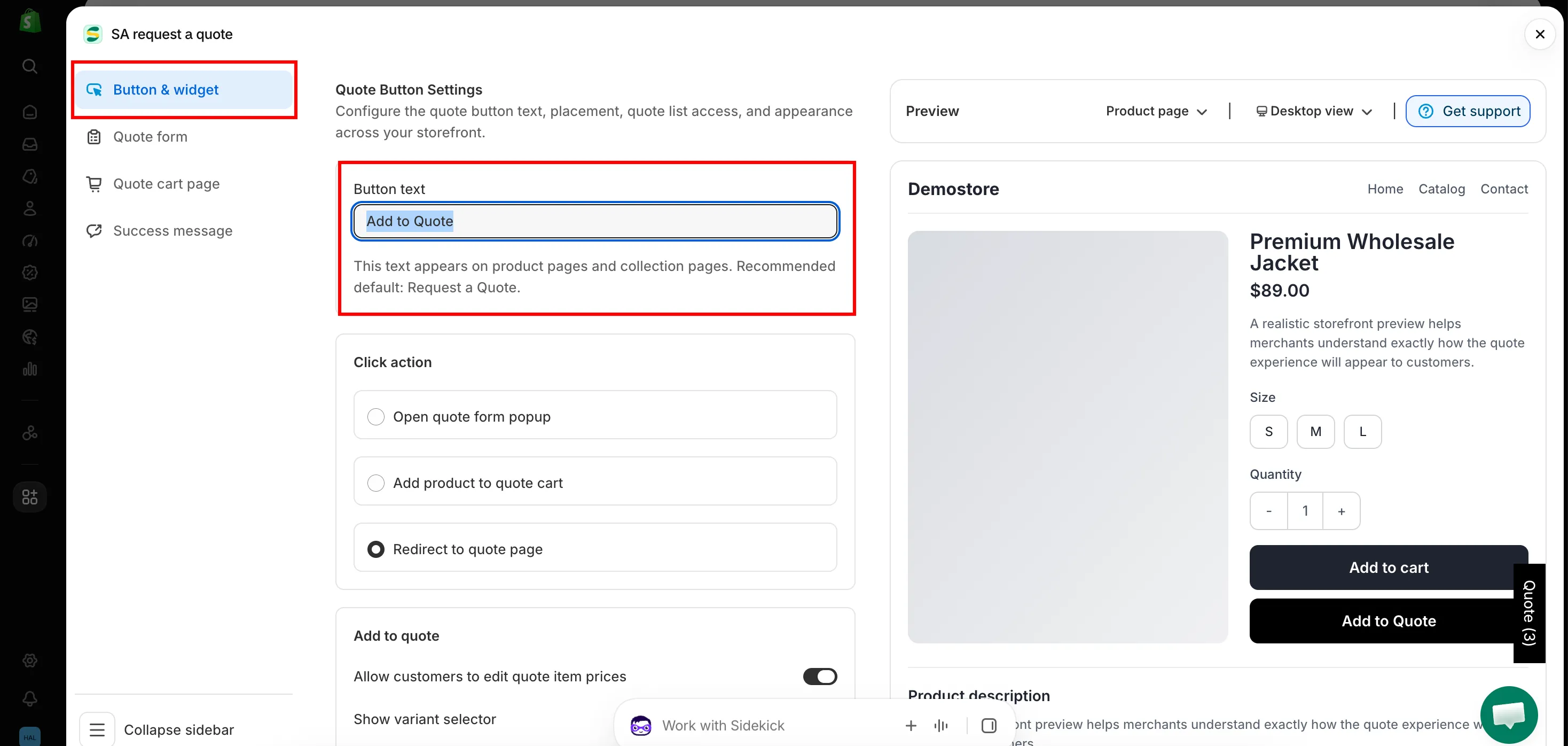
-
保存并刷新店面
Section titled “保存并刷新店面”保存更改,然后刷新产品页面查看新文字。
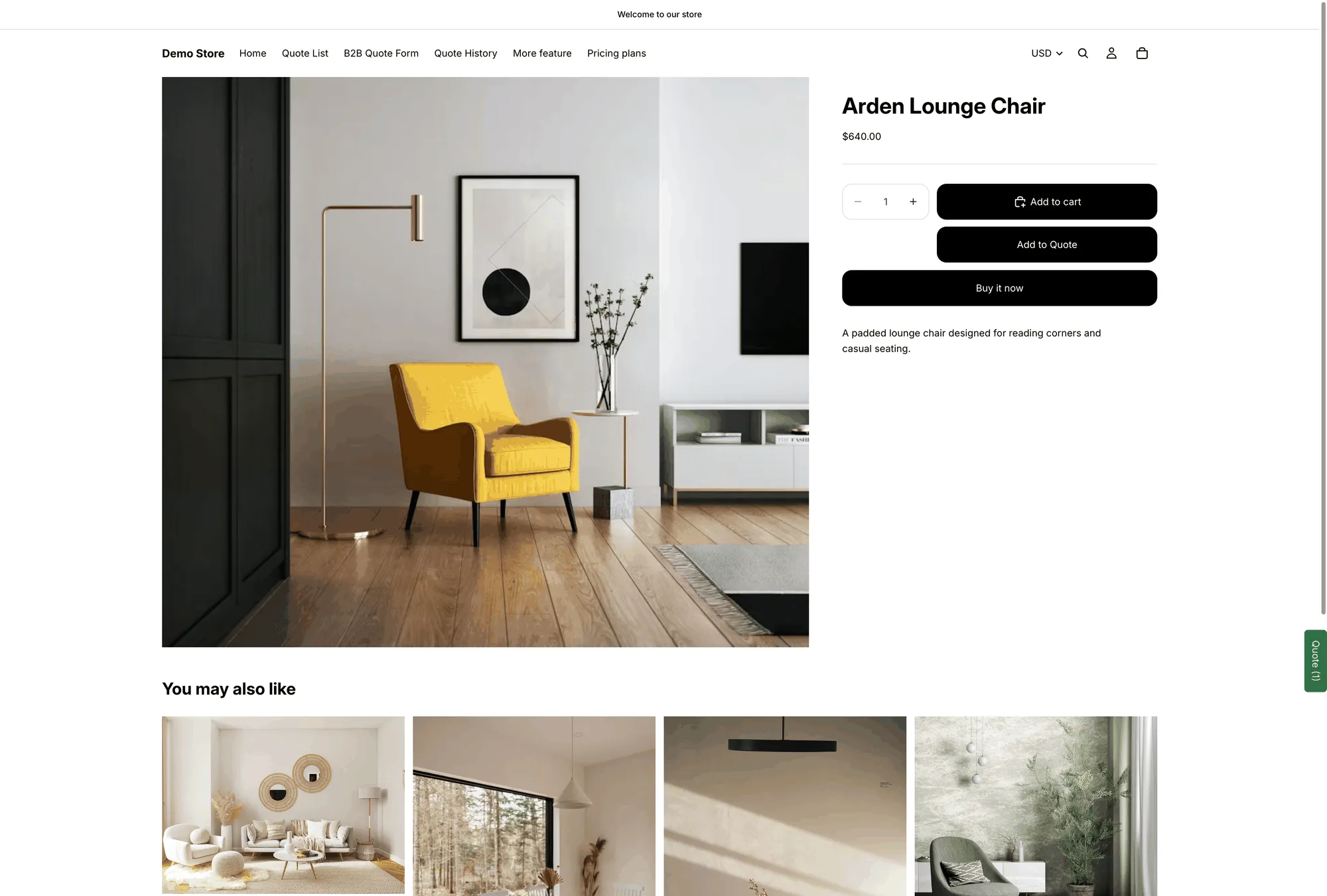
正式上线的产品页面上,来自 Button text 的文字。
在同一标签页向下滚动到 Style。
| 设置 | 更改的内容 |
|---|---|
| Button type | Filled、Outline 或 Text link。Filled 最引人注目;Text link 最低调。 |
| Size | Medium、Large 或 Full width。Full width 通常直接放在购买按钮下方效果最好。 |
| Text color | 按钮上文字的颜色。 |
| Background color | 按钮的填充颜色。 |
| Font size | 文字大小,单位为 px。 |
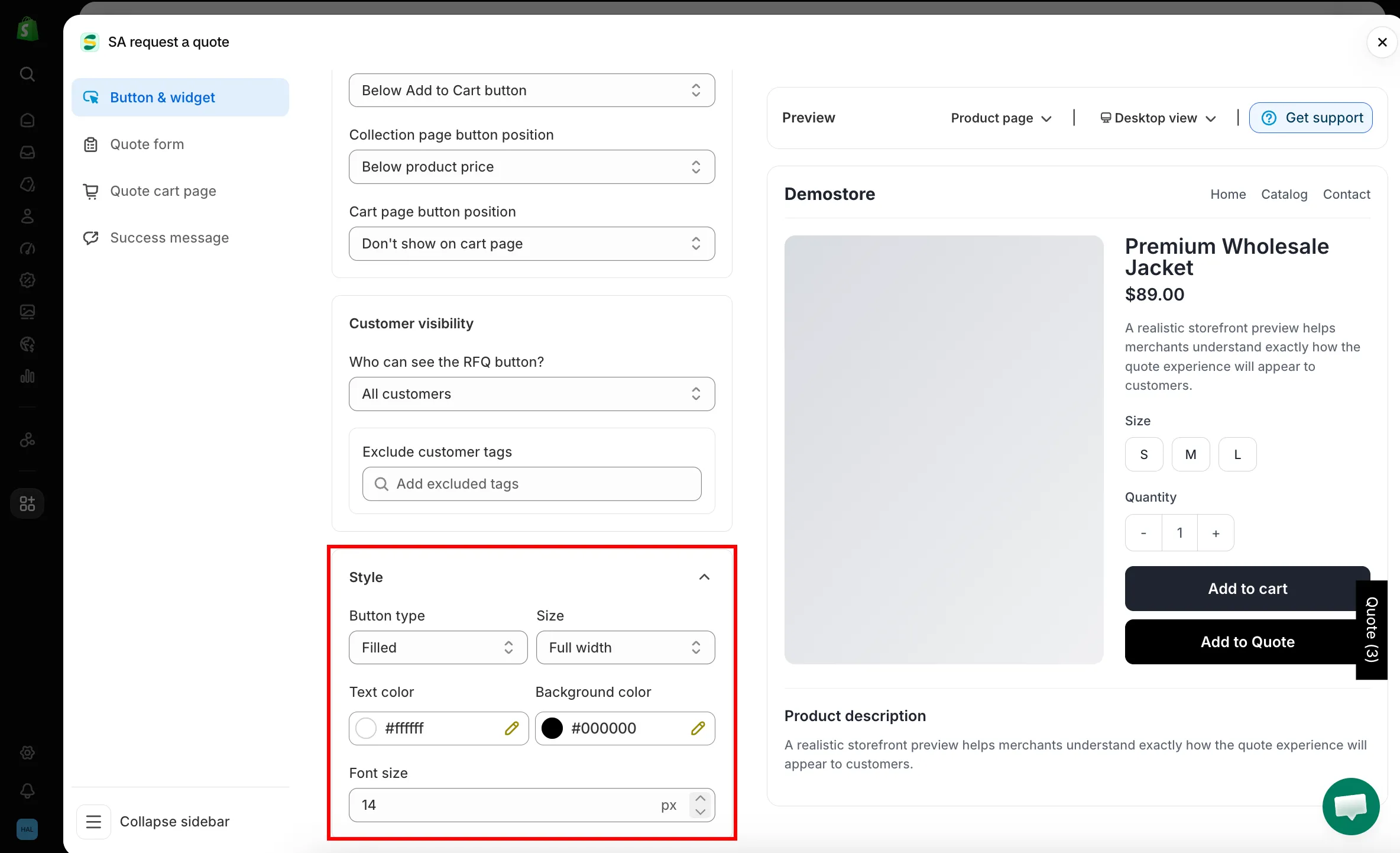
与模板风格匹配
Section titled “与模板风格匹配”常见的搭配是将 Outline 与模板自身的强调色(作为 Text color)结合使用:这样报价按钮明显次于您实心的 Add to Cart 按钮,同时又与整体设计保持一致。
如果报价按钮与购买按钮并排显示,请让它的 Size 与购买按钮一致,避免这一行看起来参差不齐。
Button text 设置的是默认语言的文字。如需将其与客户看到的其他内容一起翻译,请使用 Advanced settings 中的 Translations AI:“Translate everything your customers see — quote form, storefront text and both quote emails.”
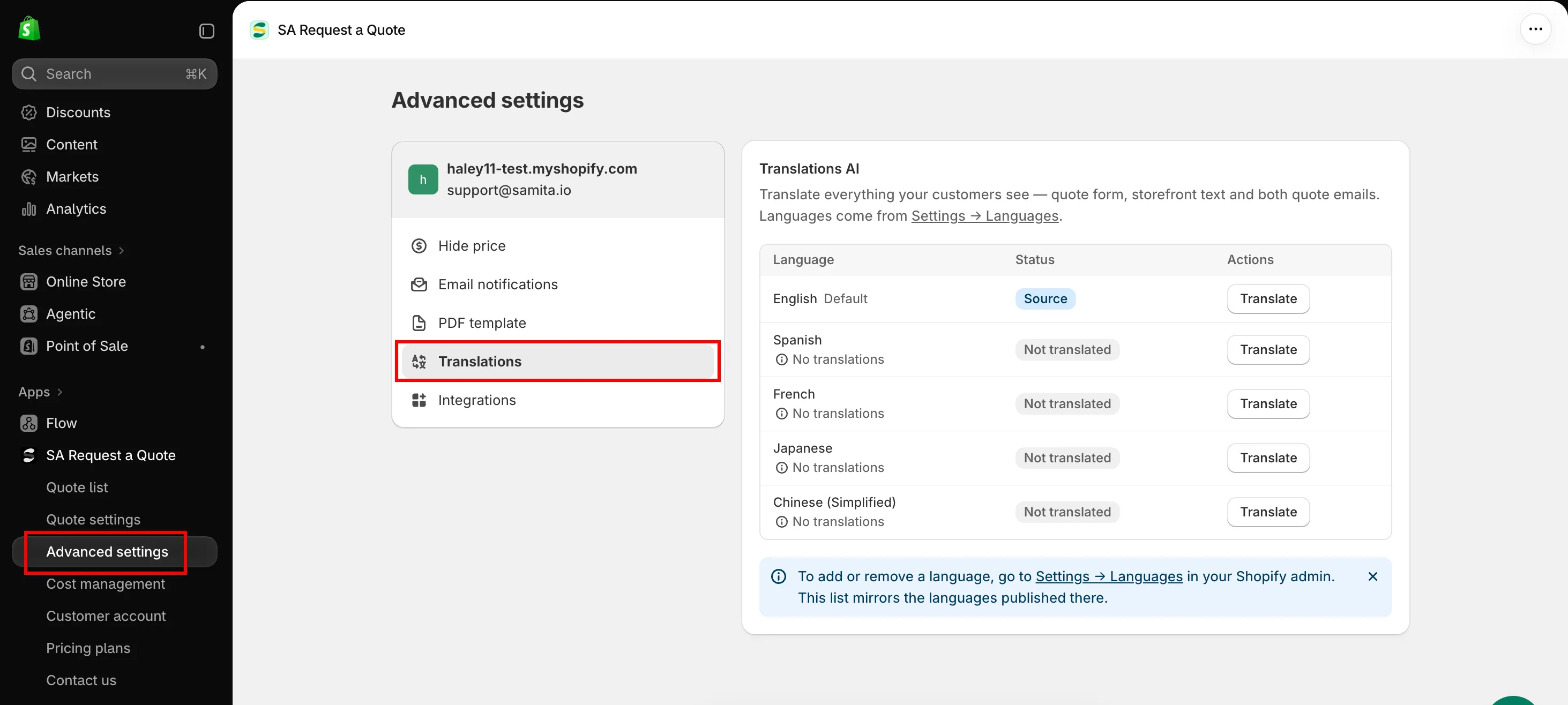
请参阅 翻译店面文字。
- 设置点击后的行为:客户点击后发生的操作
- 产品页面上的报价按钮:按钮所在的位置
- 匹配您的模板风格:让报价表单的样式与之匹配