
新功能
如果您在重新设计之前使用过 SA Request a Quote,这里列出值得了解的变化,以及每项设置现在所在的位置。
应用已重新设计。如果您是在早期版本上设置的商店,您记得的那些设置依然存在,只是大多数现在位于别处。本页介绍那些改变了位置或新增了功能的变化。
2026 年 9 月
Section titled “2026 年 9 月”Translations AI
Section titled “Translations AI”过去翻译意味着为每种语言手动输入每一段文字,现在不再需要了。
Advanced settings > Translations 现在提供 Translations AI,应用中的描述是:“Translate everything your customers see — quote form, storefront text and both quote emails.” 一个操作即可覆盖这三项,因此表单和邮件不会出现不一致。
该标签页列出您的语言及其状态,每一行都有 Translate 操作。该列表与 Shopify 保持同步,而不是自己维护一份:“To add or remove a language, go to Settings → Languages in your Shopify admin.”
请参阅 翻译店面文字。
其他功能的新位置
Section titled “其他功能的新位置”| 如果您在找 | 现在位于 |
|---|---|
| 报价表单构建器 | Quote settings > Customize > Quote form |
| 按钮设置 | Quote settings > Customize > Button & widget |
| 隐藏价格 | Advanced settings > Hide price |
| 邮件通知 | Advanced settings > Email notifications |
| 集成 | Advanced settings > Integrations |
| PDF 模板 | Advanced settings > PDF template |
| 报价上的折扣、运费和税费 | Cost management,这是新增功能 |
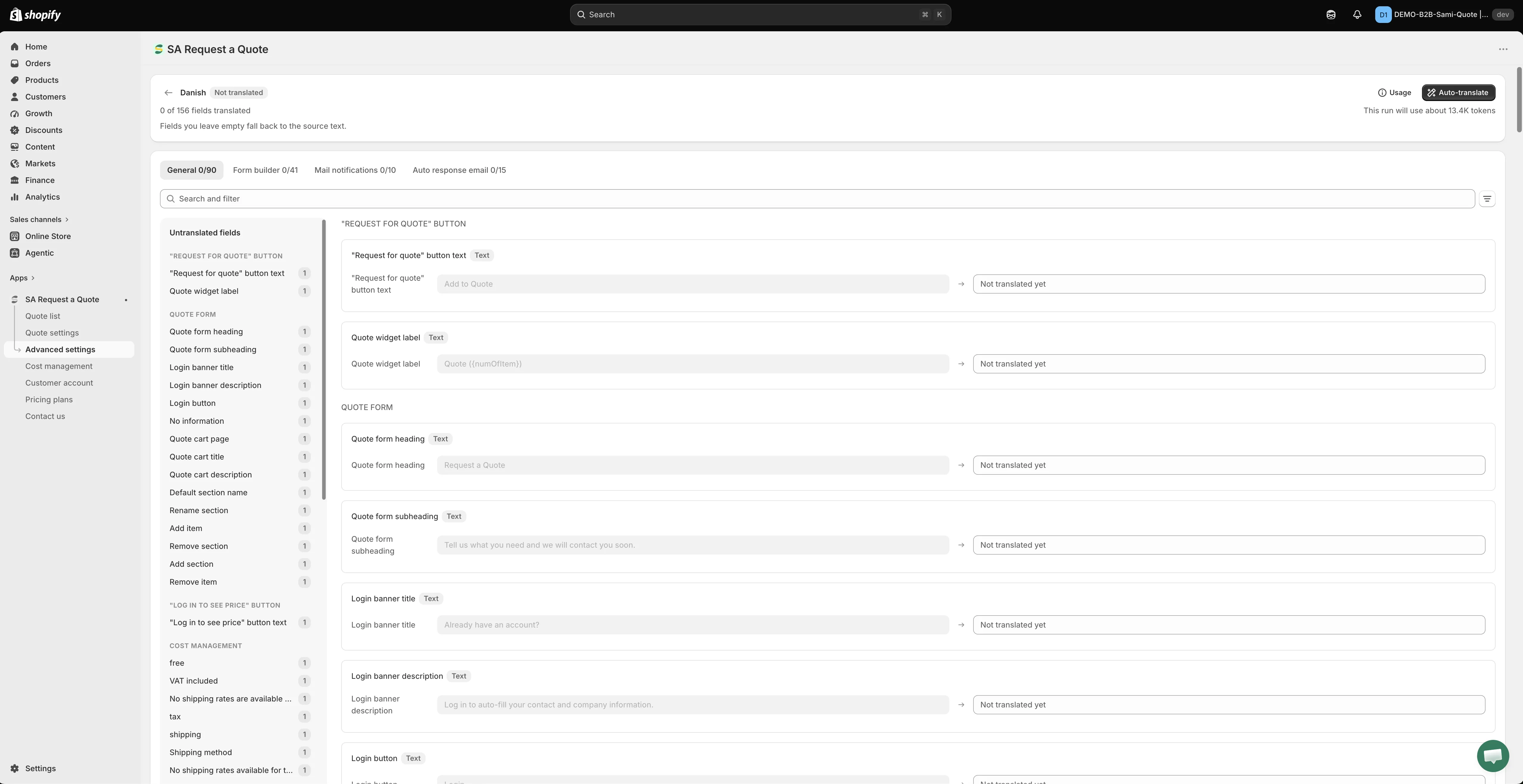
客户阅读的每一段文字都列在这里,并附有其翻译。
2026 年 8 月
Section titled “2026 年 8 月”围绕 Customize 重建的 Quote settings
Section titled “围绕 Customize 重建的 Quote settings”Quote settings 过去是一个包含多个标签页的页面。现在它是一个简短的页面,只有两项内容,详细设置已移入独立的编辑器。
| Quote settings 上的项目 | 作用 |
|---|---|
| Customize | "Design how your request a quote experience will look to customers. Set button behavior, quote form, quote cart, widget, colors and messages." 该按钮会打开全屏编辑器。 |
| Select quote products | "Select products or collections that should show the Request a Quote button." |
Customize 编辑器包含四个标签页,它们合起来涵盖了旧版标签页面的所有功能:
| 标签页 | 在此设置的内容 |
|---|---|
| Button & widget | 按钮文字、按钮位置、点击后的行为,以及悬浮报价小组件 |
| Quote form | 表单本身:模板、分区和字段 |
| Quote cart page | 店面报价购物车,包括表单以 Multiple step 还是 Single page 方式运行 |
| Success message | 请求发送后客户看到的内容 |
设置旁边有一个 Preview,带有 Online store、Cart 和 Quote list 标签页,让您在保存前先查看更改效果。应用提示:“Preview is only for quick checking. Full settings and detailed preview are inside Customize.”
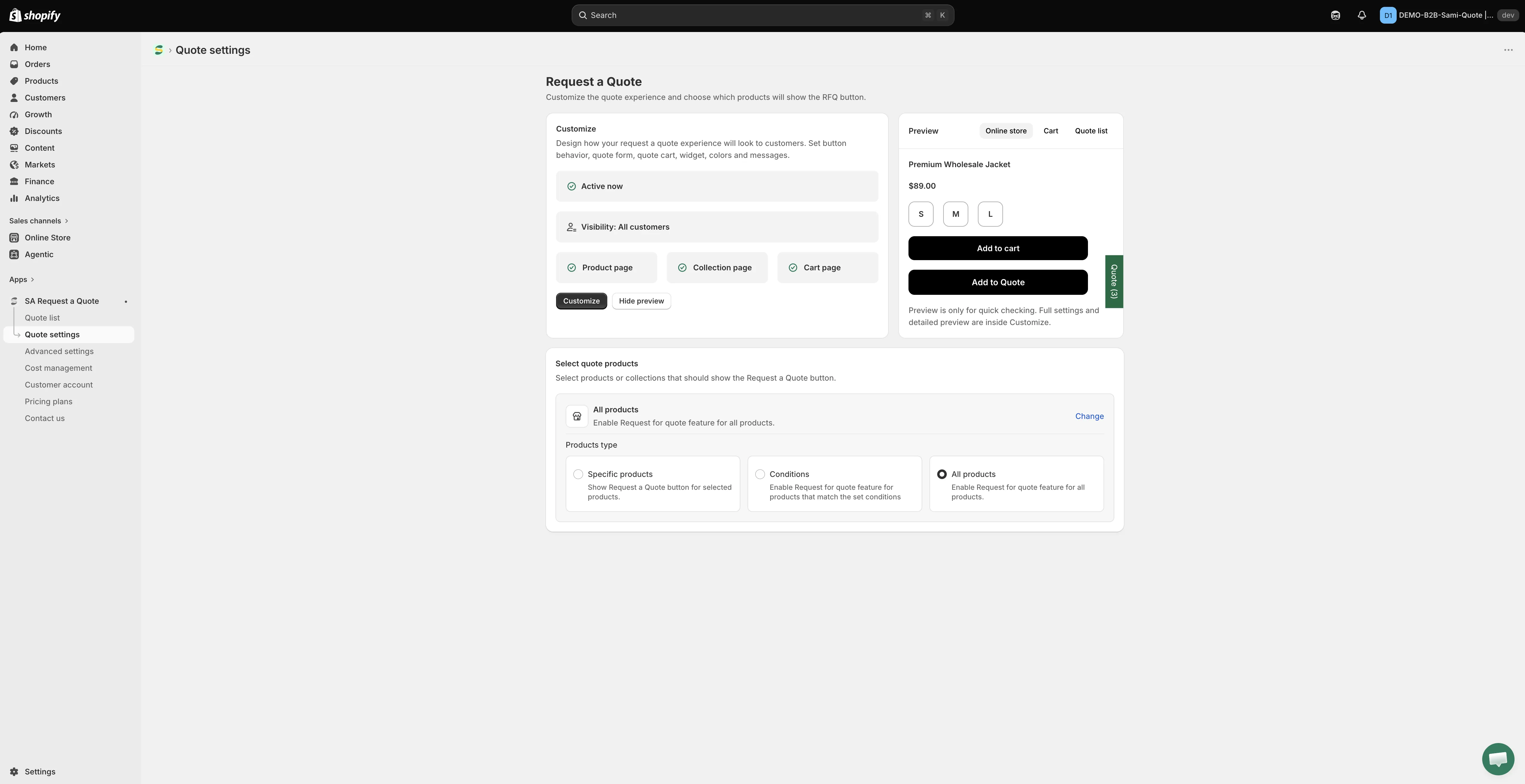
Quote settings 现在很简短:Customize 打开编辑器,Select quote products 用于选择显示按钮的产品。
构建表单请参阅 报价表单概览,按钮设置请参阅 产品页面上的报价按钮。
2026 年 8 月
Section titled “2026 年 8 月”重新设计的店面报价购物车
Section titled “重新设计的店面报价购物车”位于 /pages/request-for-quote 的报价购物车页面现在可以作为三步向导运行,而不是一个很长的表单。这三步是 Products selection、Contact information 和 Review information,客户在发送之前可以先确认自己要询价的内容。
您可以通过 Quote cart page 标签页上的 Quote form appearance 在两种布局之间选择:Multiple step 或 Single page。
该标签页上还有两项值得了解的设置:
- Enable Quote Sections:“Lets customers group the products in their quote cart into named sections.” 当一次请求涉及多个房间、场地或部门时很有用。
- Enable Quote Cart Widget:“Shows a floating button on your storefront so customers can open their quote cart from any page.”
请参阅 Request a Quote 页面。
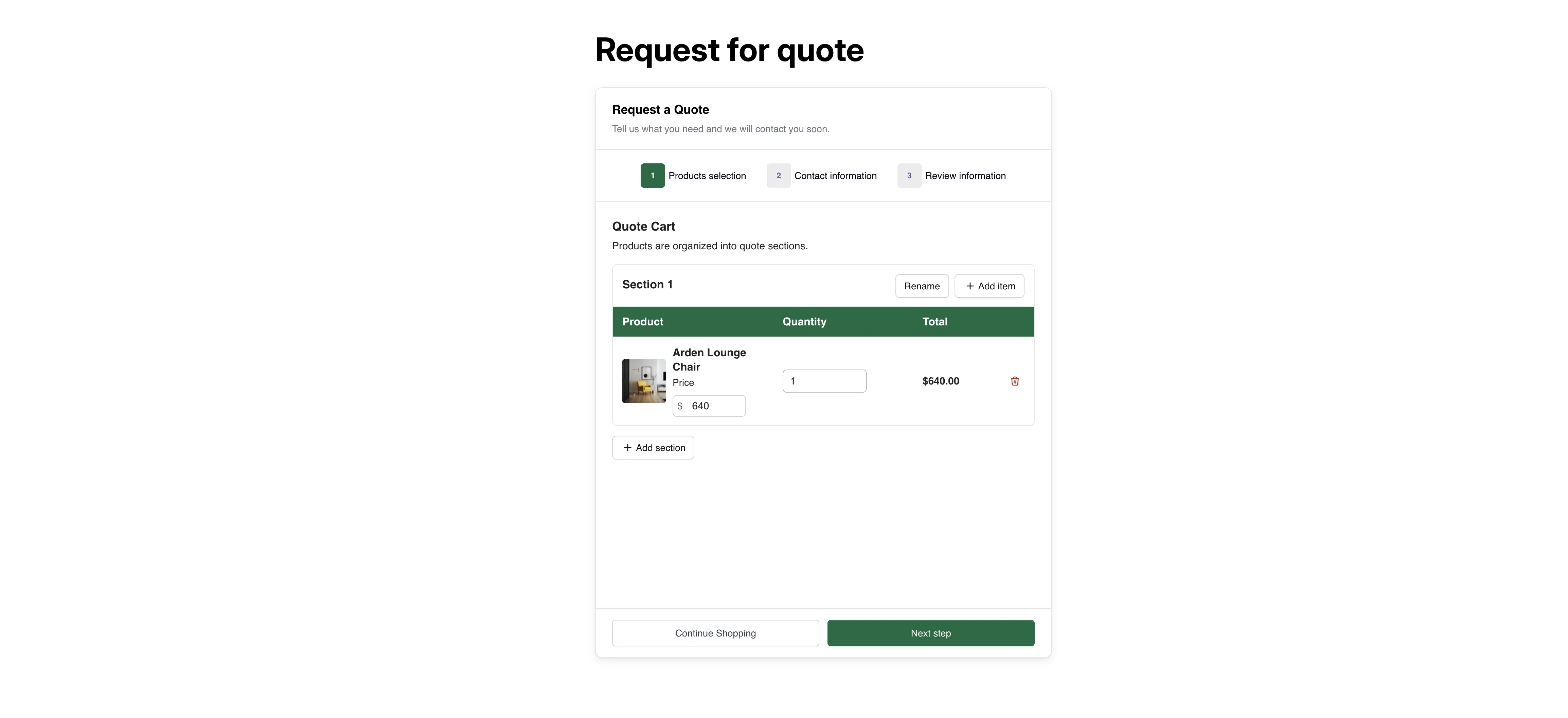
客户看到的报价购物车。