
在报价邮件中附加 PDF
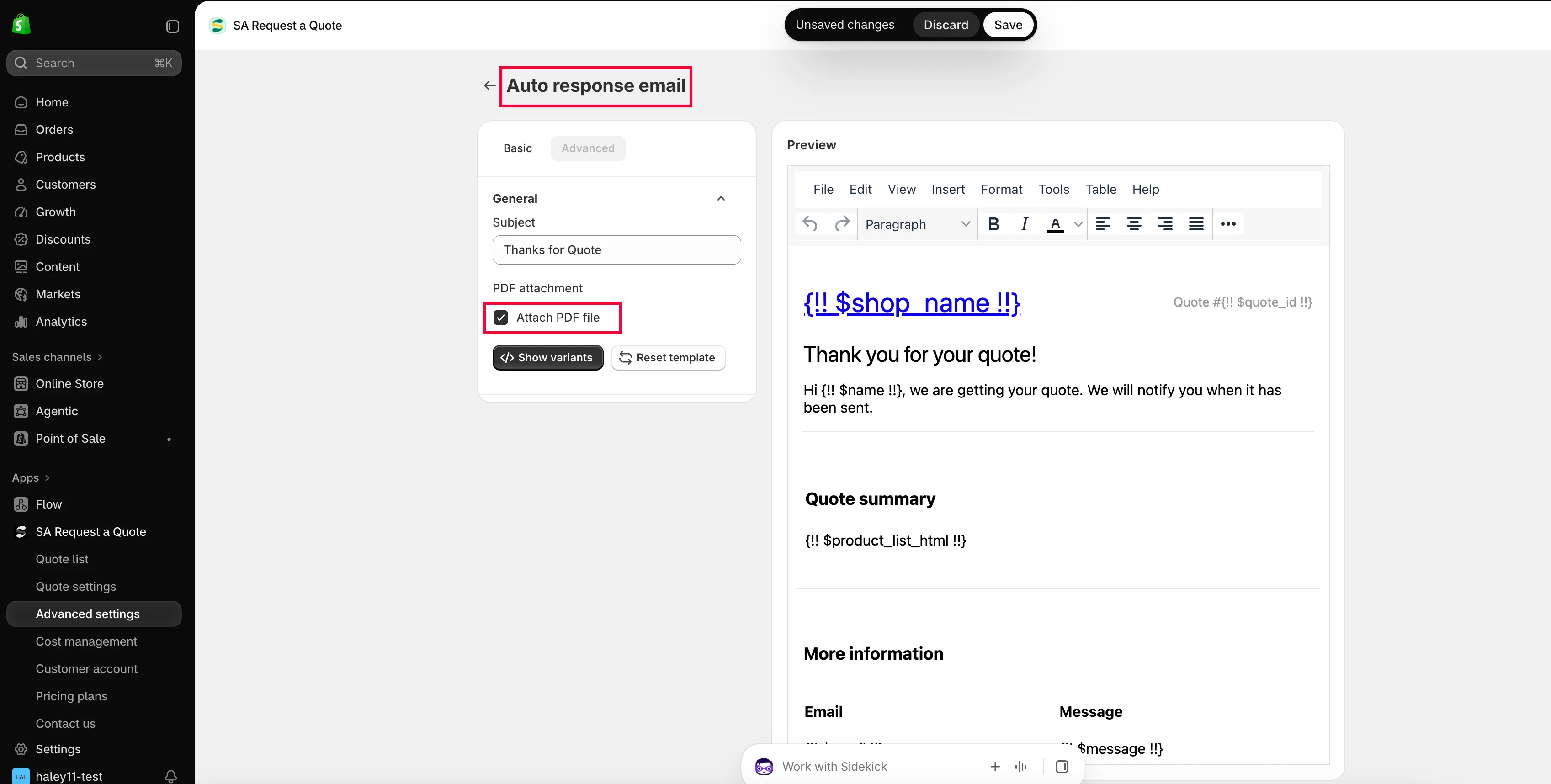
开启 Attach PDF file,让报价邮件附带 PDF,并设置生成该 PDF 所依据的 Quote PDF 模板。
企业买家往往需要的是一份文档,而不只是一封邮件,比如用于归档、转发审批或附在采购订单上。应用可以随邮件发送一份 PDF,并根据您的 Quote PDF 模板生成。
Attach PDF file 位于 Mail notifications 编辑器的 PDF attachment 部分。
-
打开 Mail notifications 编辑器
Section titled “打开 Mail notifications 编辑器”前往 Advanced settings > Email notifications,然后点击 Mail notifications 行末的图标按钮。
-
勾选 Attach PDF file
Section titled “勾选 Attach PDF file”在 Basic 标签页上,滚动到 PDF attachment 并勾选 Attach PDF file。
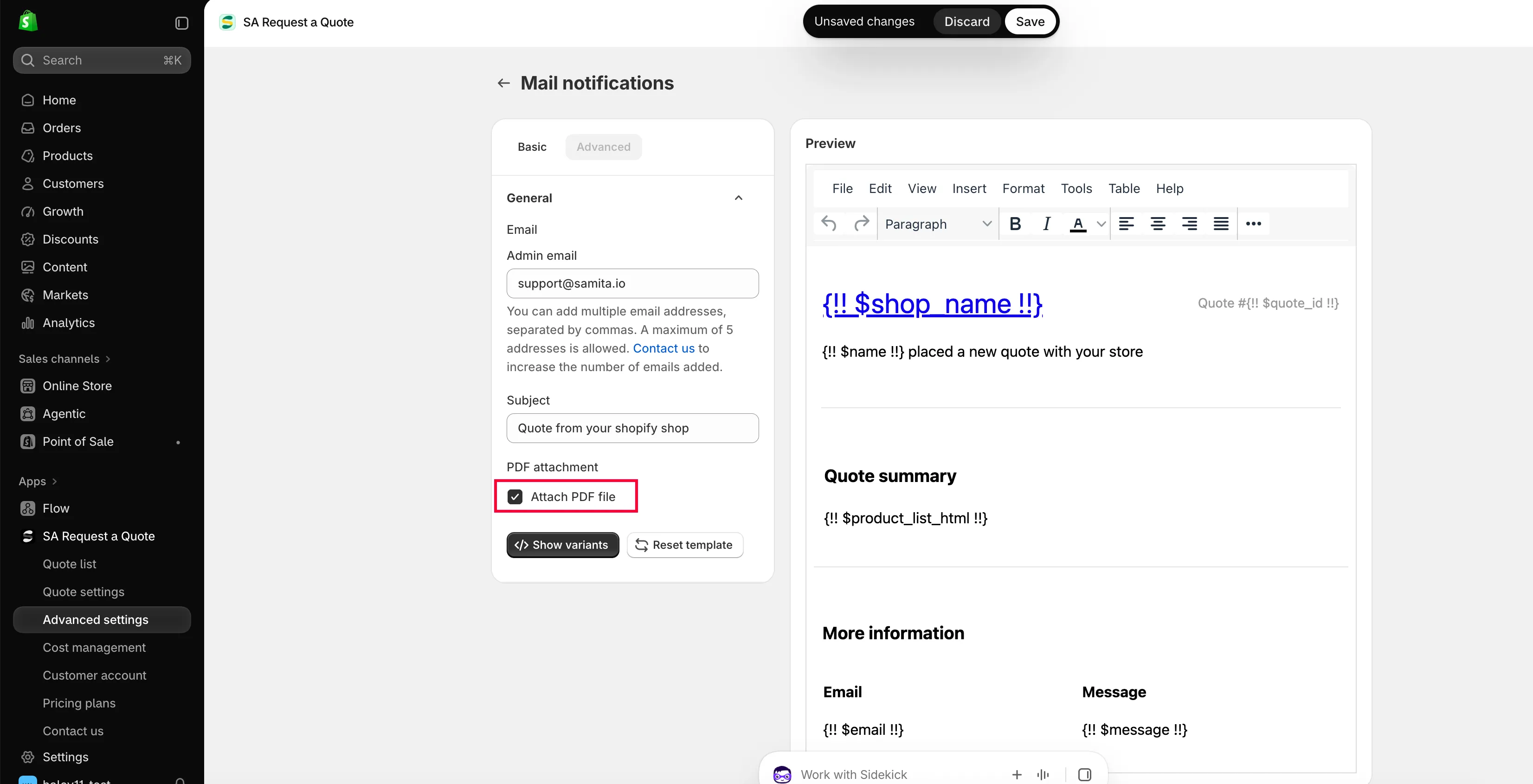
附件是邮件的设置,而不是 PDF 模板的设置。
-
保存并给自己发送一封
Section titled “保存并给自己发送一封”保存后,在您自己的店面提交一份测试报价,并打开收到的附件。
设置 Quote PDF 模板
Section titled “设置 Quote PDF 模板”-
前往 PDF template 标签页
Section titled “前往 PDF template 标签页”在 Advanced settings 中选择 PDF template。共有两个模板:
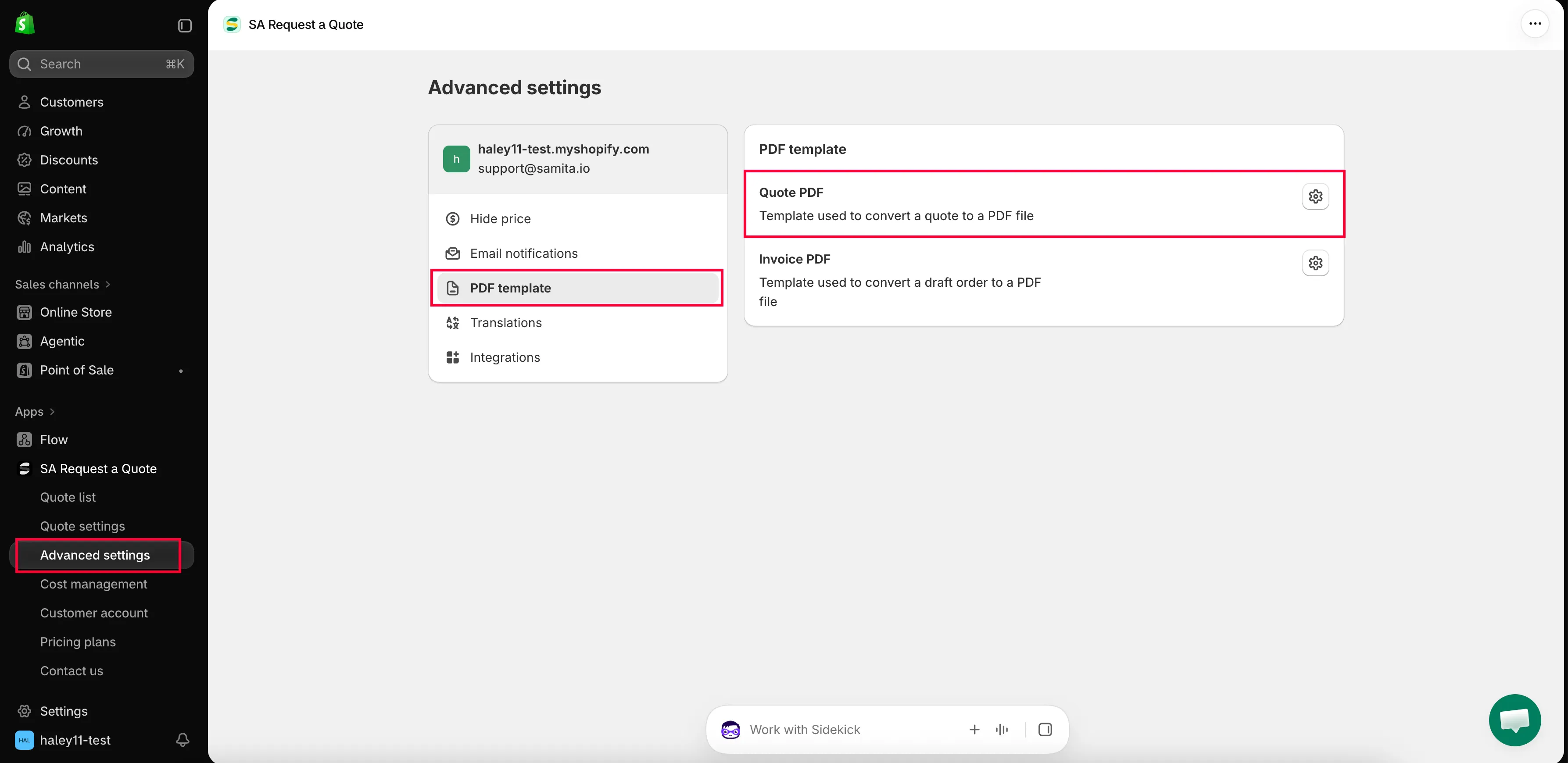
文档本身在 PDF template 标签页中设计。
-
打开 Quote PDF
Section titled “打开 Quote PDF”Quote PDF 是“Template used to convert a quote to a PDF file”。打开后会进入 Quote PDF template,其中分为 Design、Content 和 Translations。
-
选择文档上显示的内容
Section titled “选择文档上显示的内容”Content 是一组复选框,分为 Quote info、Quote products 和 Other information。请勾选应出现在报价单上的内容,取消勾选不需要的内容。
-
查看 Preview,然后保存
Section titled “查看 Preview,然后保存”Preview 会显示文档最终生成的样子。保存前请通读一遍。
| 分组 | 可以显示的内容 |
|---|---|
| Quote info | Quote ID, Issue date (with Choose date format), Payment terms, Discount, Tax, Shipping, Subtotal, Grand total. |
| Quote products | Show product image, Show vendor, Show SKU, Show variants and options, Show quantity, Show price, Show total. |
| Other information | Quote from, Customer information, Shipping address, Additional information. |
此外还有 Column width(33% 或 100%)和 Note。详细说明请参阅 自定义报价 PDF。
不使用自动附件发送文档
Section titled “不使用自动附件发送文档”您不必在每封邮件中都附加 PDF。打开侧边栏中的 Quote list;Quotes 页面上的每一行都有四个操作:下载 PDF、发送邮件、复制和删除。
| 操作 | 适用场景 |
|---|---|
| 下载 PDF | 买家要求提供可附在您自己回复中的文档,或者您需要留一份副本存档。 |
| 发送邮件 | 您从应用中回复客户。 |
分步说明请参阅 将报价下载为 PDF 和 发送报价单。
您的套餐包含什么
Section titled “您的套餐包含什么”| 套餐 | 您能获得什么 |
|---|---|
| FREE | PDF: quote & invoice, and Multi-language (PDF & email). |
| PRO | Customizable PDF, on top of everything in PREMIUM. |
完整列表请参阅 套餐对比。
- 自定义报价 PDF:报价文档上的每一个开关
- 将报价下载为 PDF:将报价下载为 PDF
- 翻译报价邮件:以其他语言发送报价和邮件