创建 B2B 表单
使用 B2B customer form 模板收集公司信息、账单地址、付款条款和定金。
批发买家需要告诉您一些消费者无需提供的信息,例如为谁采购、发票寄往何处,以及打算如何付款。B2B customer form 模板会询问所有这些内容。
应用对它的描述是“For wholesale or business buyers who need company, shipping, billing, and payment term information”。
它是合适的模板吗?
Section titled “它是合适的模板吗?”Form template 提供三个起点,它们询问的内容确实不同:
| 模板 | 自带的部分 | Extra info 中包含什么 |
|---|---|---|
| B2B customer form | Contact information · Company information · Shipping address · Billing address · Payment terms · Extra info | Message |
| Detailed quote form | Contact information · Shipping address · Extra info | Project detail 和 Delivery service |
| Simple quote form | Contact information · Extra info | Quantity 和 Upload files |
您最可能拿 B2B customer form 来比较的是 Detailed quote form,其描述为“For custom orders, delivery, installation, or project-based quotes. Includes login autofill guidance.”
如果您报价的是项目而不是订单,例如安装、送货时段或项目需求说明,Detailed quote form 是更好的起点,创建标准表单会逐步介绍。
-
打开 Quote form 标签页
Section titled “打开 Quote form 标签页”进入 Quote settings,点击 Customize 卡片上的 Customize,然后打开 Quote form 标签页。
-
在 Form template 中点击 Change。随即打开选择器,标题为 Choose a form template,并附有提示“Select a starting point. The form fields will change only after you confirm.”
选择 B2B customer form 卡片,它带有 B2B 标记,摘要行为“Login autofill, contact, company, shipping, billing, payment terms, message”。然后点击 Use this template 确认。点击 Cancel 则保持您当前的表单不变。
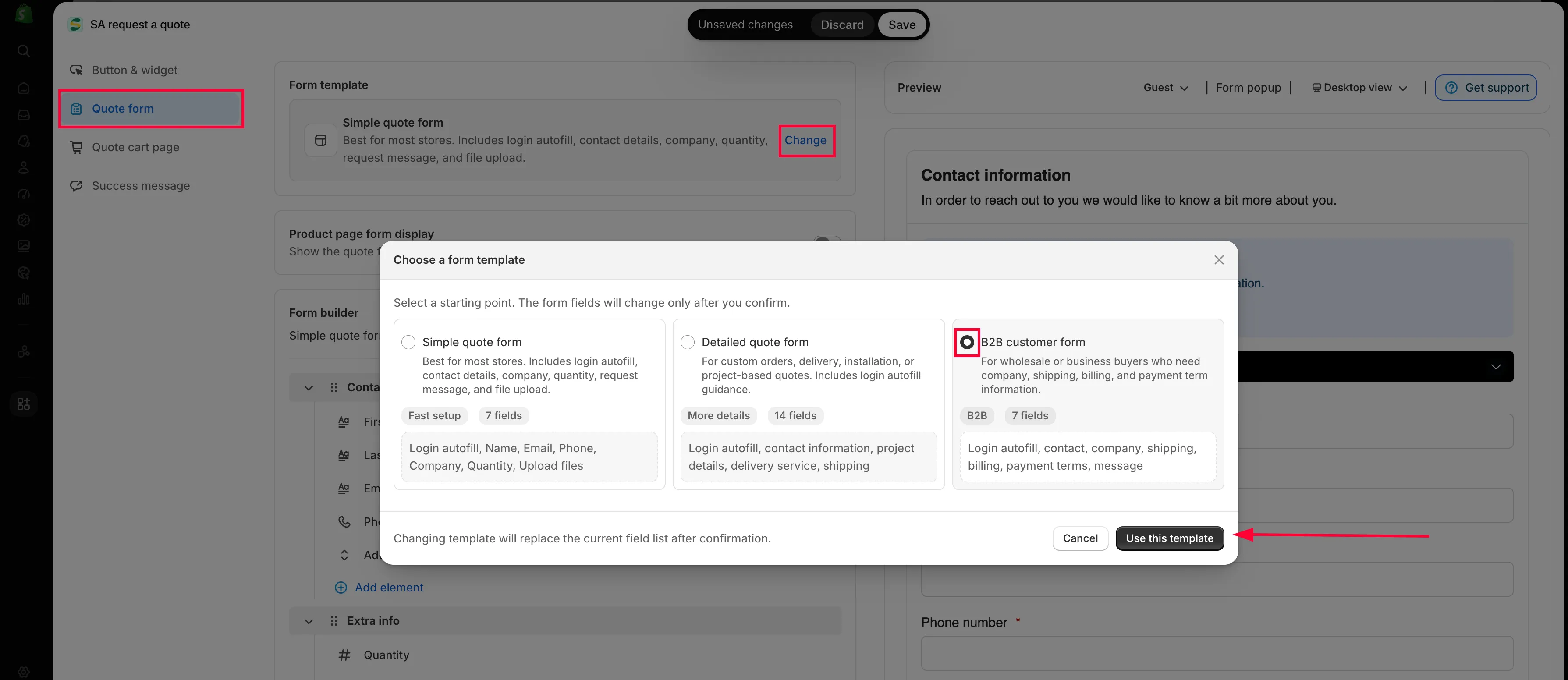
Change 会打开模板选择器。
-
开启企业相关部分
Section titled “开启企业相关部分”Form builder 现在按以下顺序列出六个部分:Contact information、Company information、Shipping address、Billing address、Payment terms 和 Extra info。中间的三个是 Detailed quote form 所没有的,它们正是选用此模板的原因。
每个部分需要单独开启。点击某个部分的设置控件,勾选 Enable,如果想换个名称,可设置其 Label。保持禁用的部分根本不会向客户显示,不论其中有多少字段。
点击箭头展开某个部分即可查看其字段,点击任意字段即可编辑。
-
设置账单地址
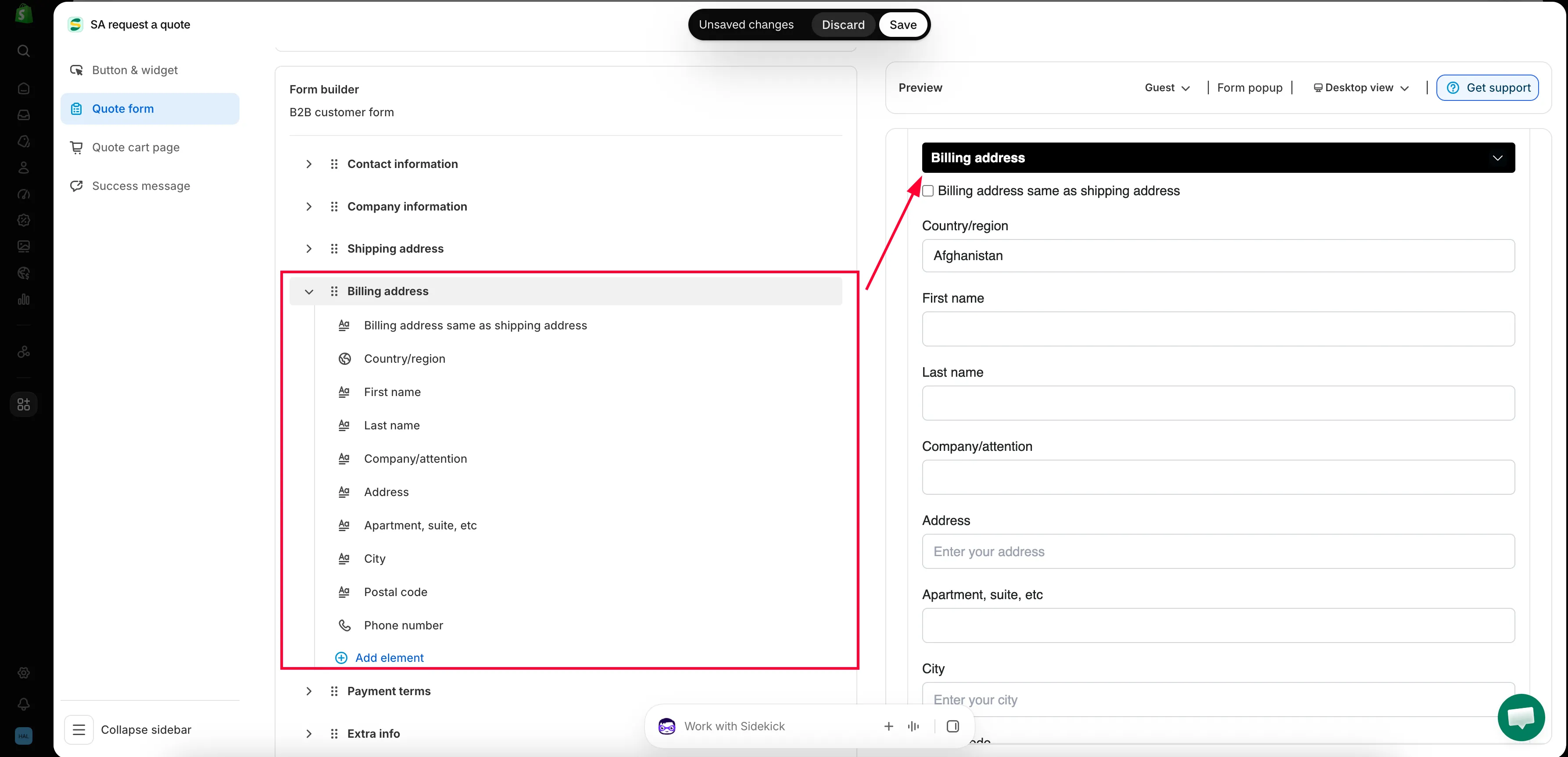
Section titled “设置账单地址”Billing address 以 Billing address same as shipping address 复选框开头,其下重复地址字段。大多数买家会勾选该复选框,而没有勾选的,恰恰是发票寄往别处的买家。
-
设置付款条款和定金
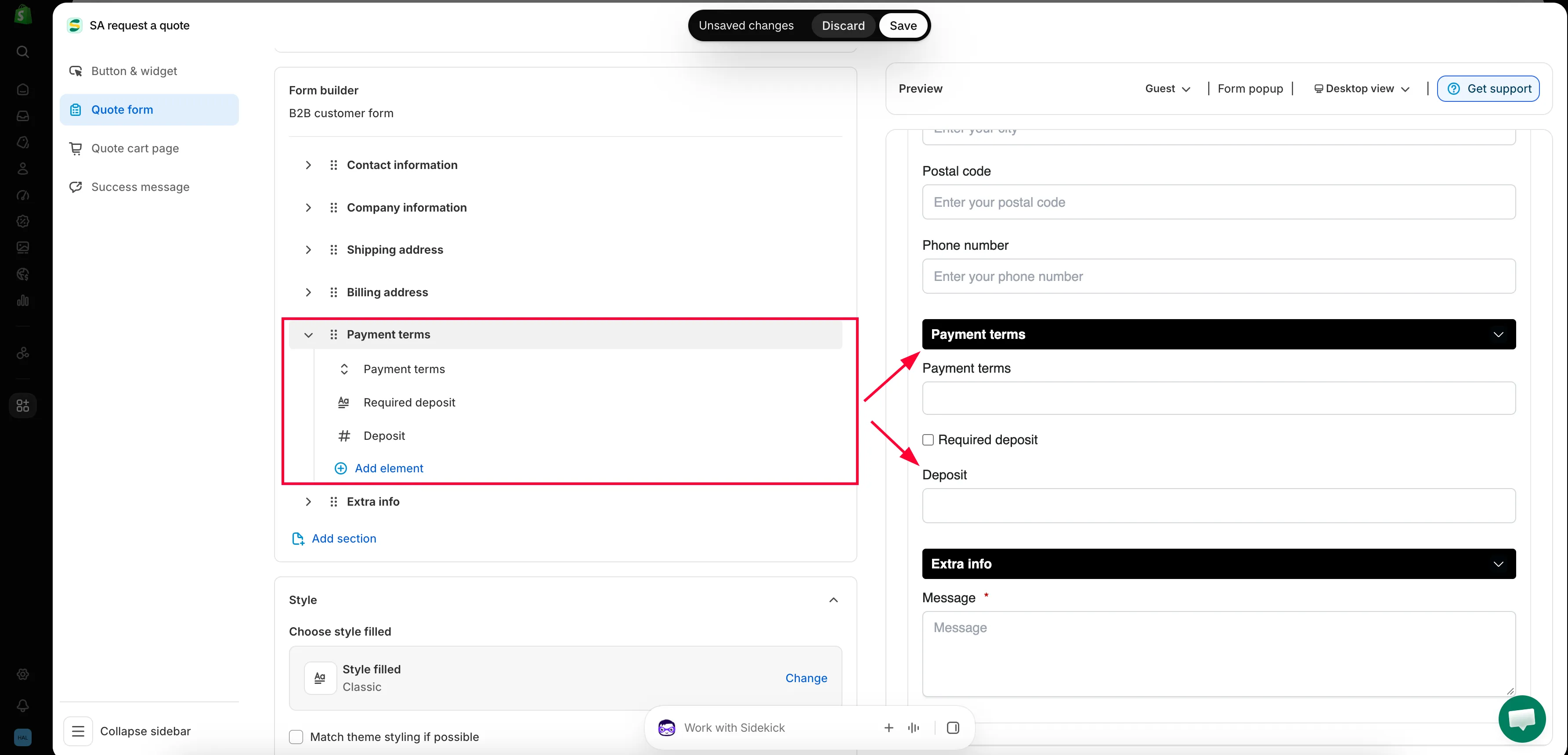
Section titled “设置付款条款和定金”Payment terms 包含 Payment terms 字段、Required deposit 复选框和 Deposit 字段。详见下文。
-
添加您需要的其他内容
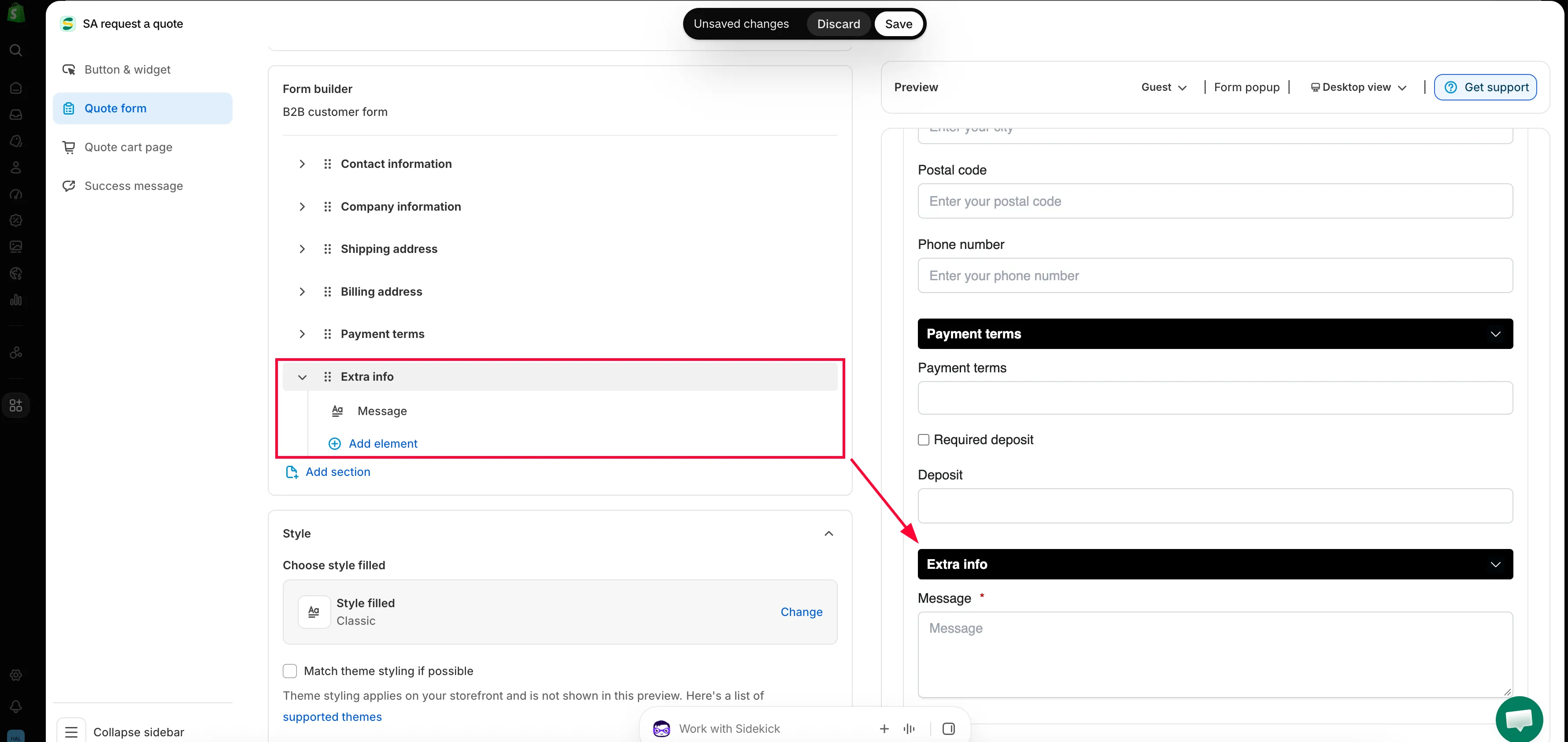
Section titled “添加您需要的其他内容”在此模板中,Extra info 只有一个 Message 字段,设置为必填。在某个部分内使用 Add element 可再添加一个问题,使用 Add section 则可添加一个全新的分组。
-
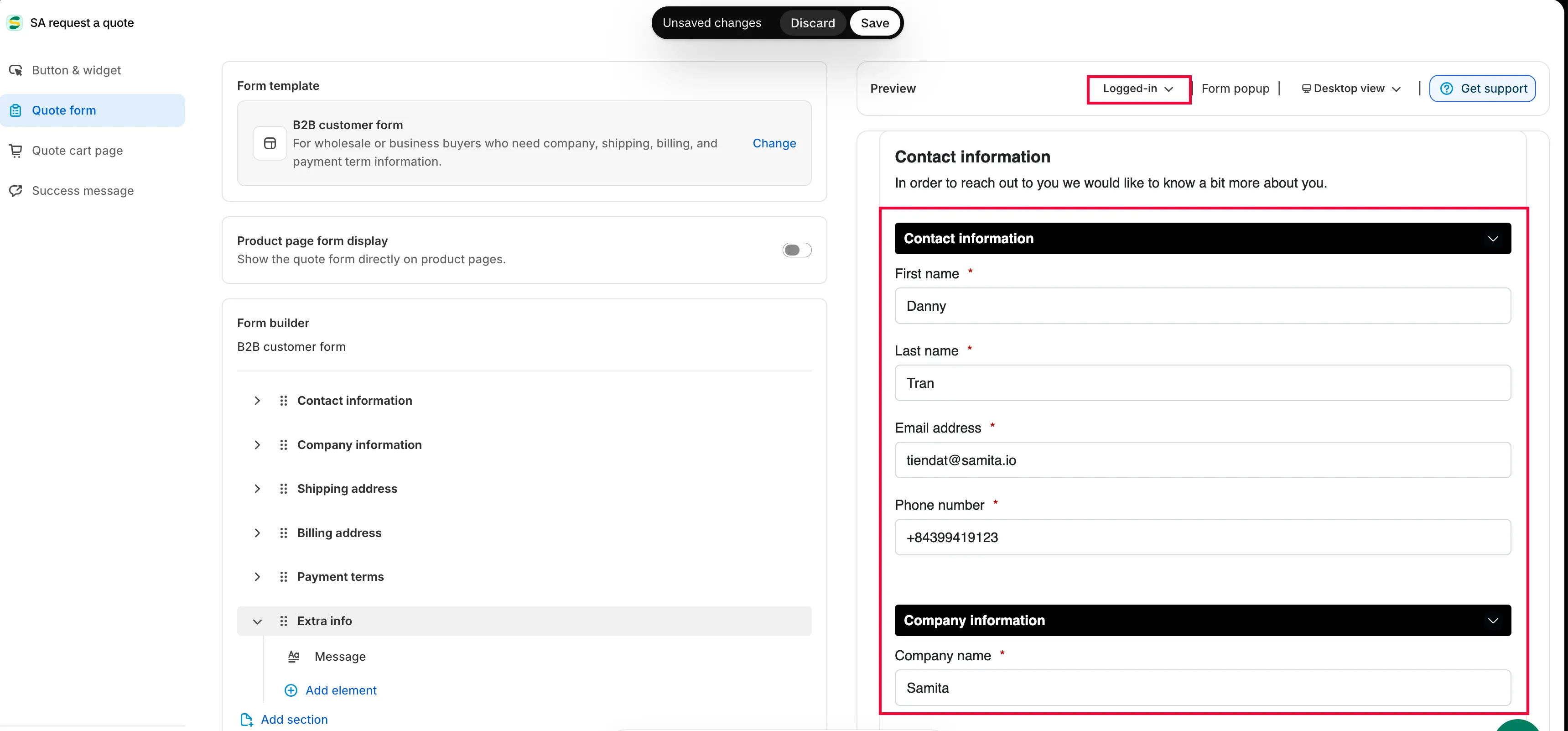
以已登录买家的身份预览
Section titled “以已登录买家的身份预览”这是大多数人会跳过的一步,却是 B2B 表单中最重要的一步,因为已登录的批发买家看到的表单与首次访问者不同。
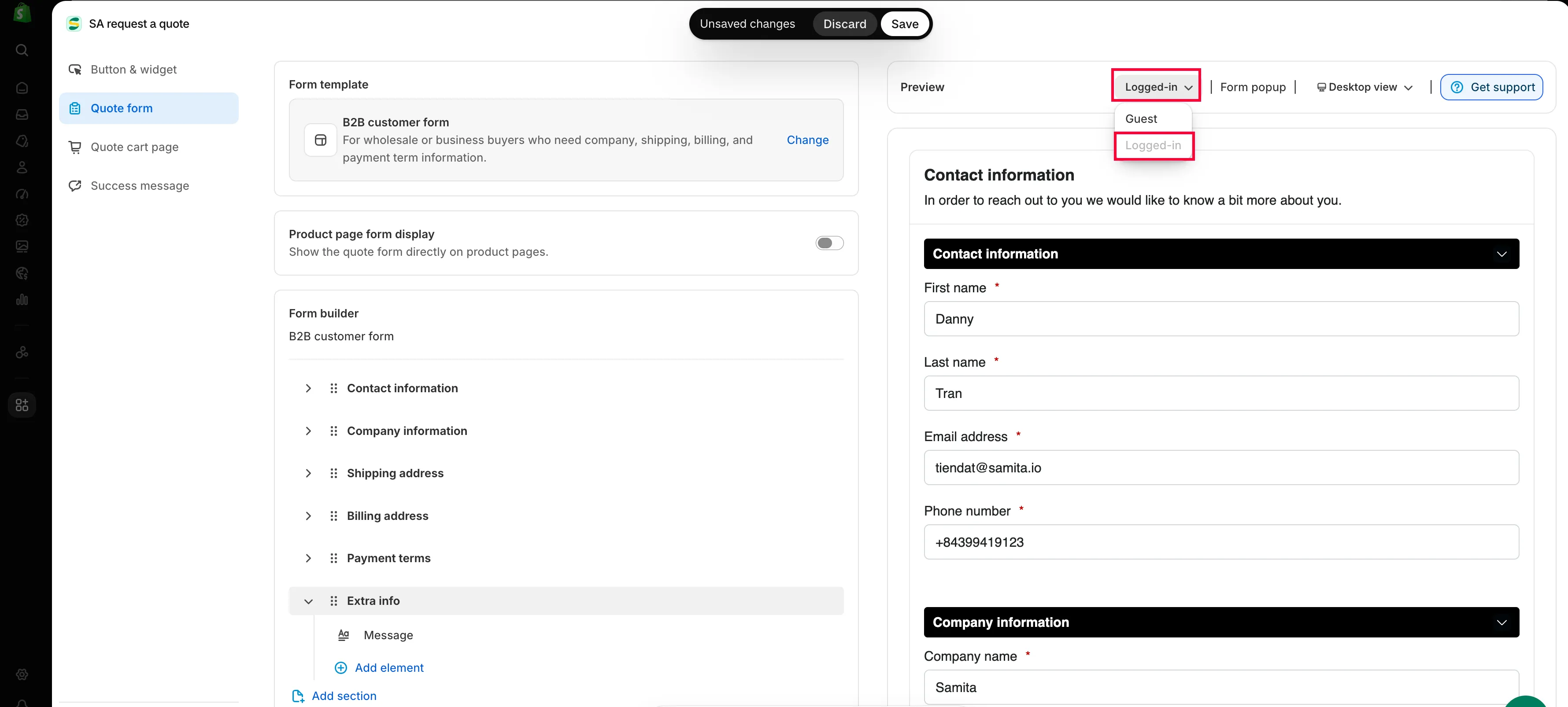
在编辑器旁边的 Preview 面板中,使用工具栏上的客户状态按钮,从 Guest 切换到 Logged-in,然后回看表单。旁边的桌面和移动端切换也值得看一看:六个部分的 B2B 表单在手机上要滚动很长。
-
更改任何内容都会出现 Shopify 的保存栏。点击 Save,如果某个字段仍有验证错误,编辑器将不允许保存,并提示“Please resolve validation errors before saving.”
然后在您的店面中打开该表单,给自己发送一份真实的测试请求,并确认它出现在 Quote list 中,且带有公司、账单和付款条款的回答。
企业相关部分的用途
Section titled “企业相关部分的用途”| 部分 | 收集内容 |
|---|---|
| Company information | 公司名称,即买家所代表的企业。 |
| Billing address | 发票寄往的地点,通常不是货物送达的地点。 |
| Payment terms | 付款条款,外加可选的定金,让您能够妥善定价并安排工作。 |
Payment terms 和 Required deposit
Section titled “Payment terms 和 Required deposit”Payment terms 是买家告诉您他们打算如何付款的地方,这决定了一项工作是周一就能开工,还是要自己垫资六十天。
如果您希望预先收款,请勾选 Required deposit,然后在 Deposit 字段中设置金额。可用于定制产品、交货周期较长或首次合作的客户。
为已登录买家减少输入
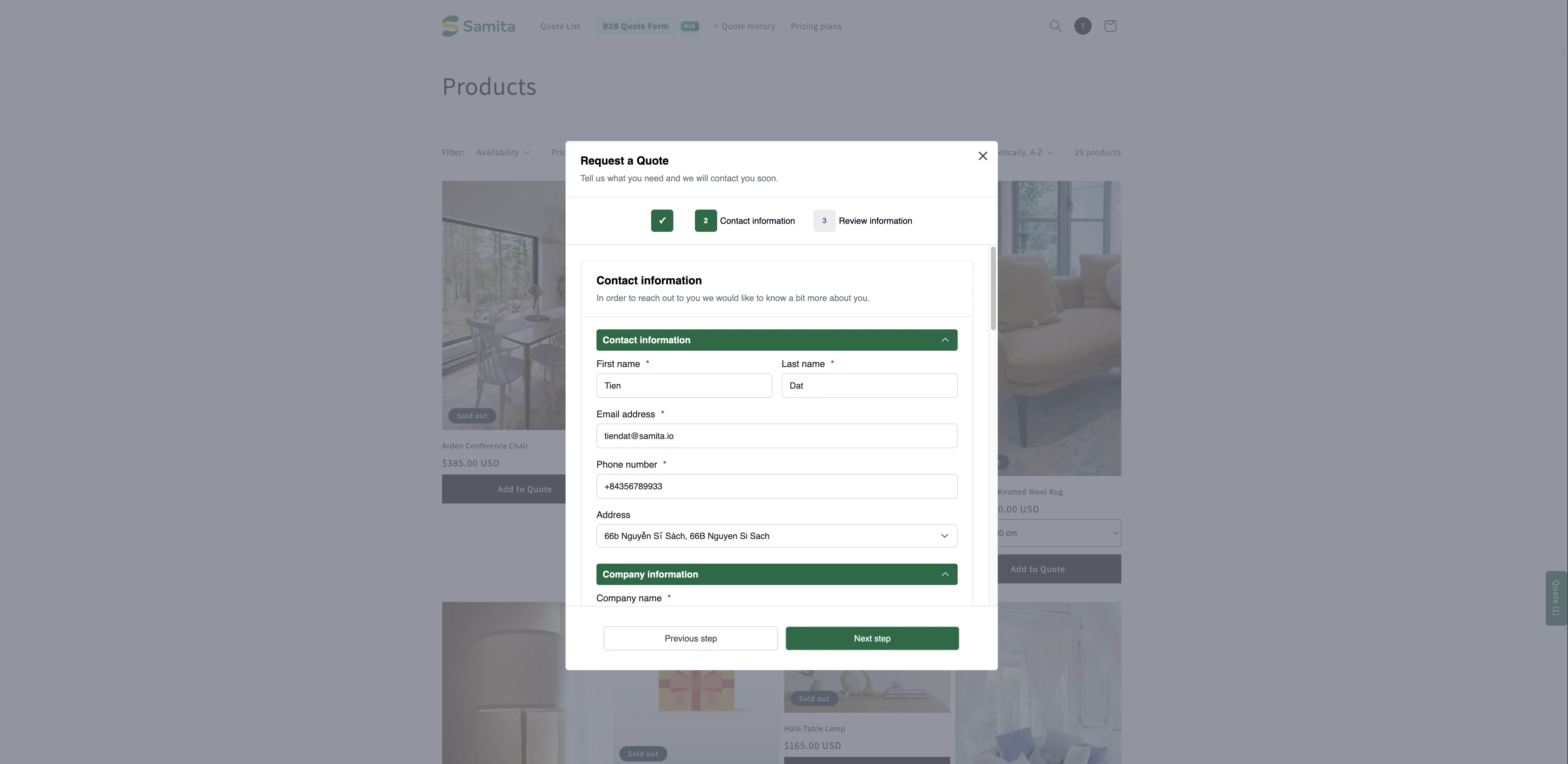
Section titled “为已登录买家减少输入”在店面中,表单会邀请客户登录,提示旁边有 Login 链接:
Already have an account? Log in to auto-fill your contact and company information.
登录后,他们的详细信息会自动填入,因此重复询价只需填几个字段,而不是整份表单。PRO 套餐更进一步,可自动填充已登录 B2B 客户的数据,包括公司、地点和付款条款。
您无需登录测试账号来检查这一点。在编辑器内的 Preview 面板中,将工具栏上的客户状态按钮从 Guest 切换到 Logged-in,预览就会按已登录买家所见的样子重新绘制。