
見積もりメールにPDFを添付する
Attach PDF fileをオンにして見積もりメールにPDFを添付し、その元になるQuote PDFテンプレートを設定します。
法人の購入者は、メールよりも書類を必要とすることがよくあります。保管したり、承認のために転送したり、発注書に添付したりするためです。アプリはメールと一緒にPDFを送信でき、Quote PDFテンプレートからPDFを作成します。
添付をオンにする
Section titled “添付をオンにする”Attach PDF fileは、Mail notificationsエディタのPDF attachmentセクションにあります。
-
Mail notificationsエディタを開く
Section titled “Mail notificationsエディタを開く”Advanced settings > Email notificationsに移動し、Mail notifications行の末尾にあるアイコンボタンをクリックします。
-
Attach PDF fileにチェックを入れる
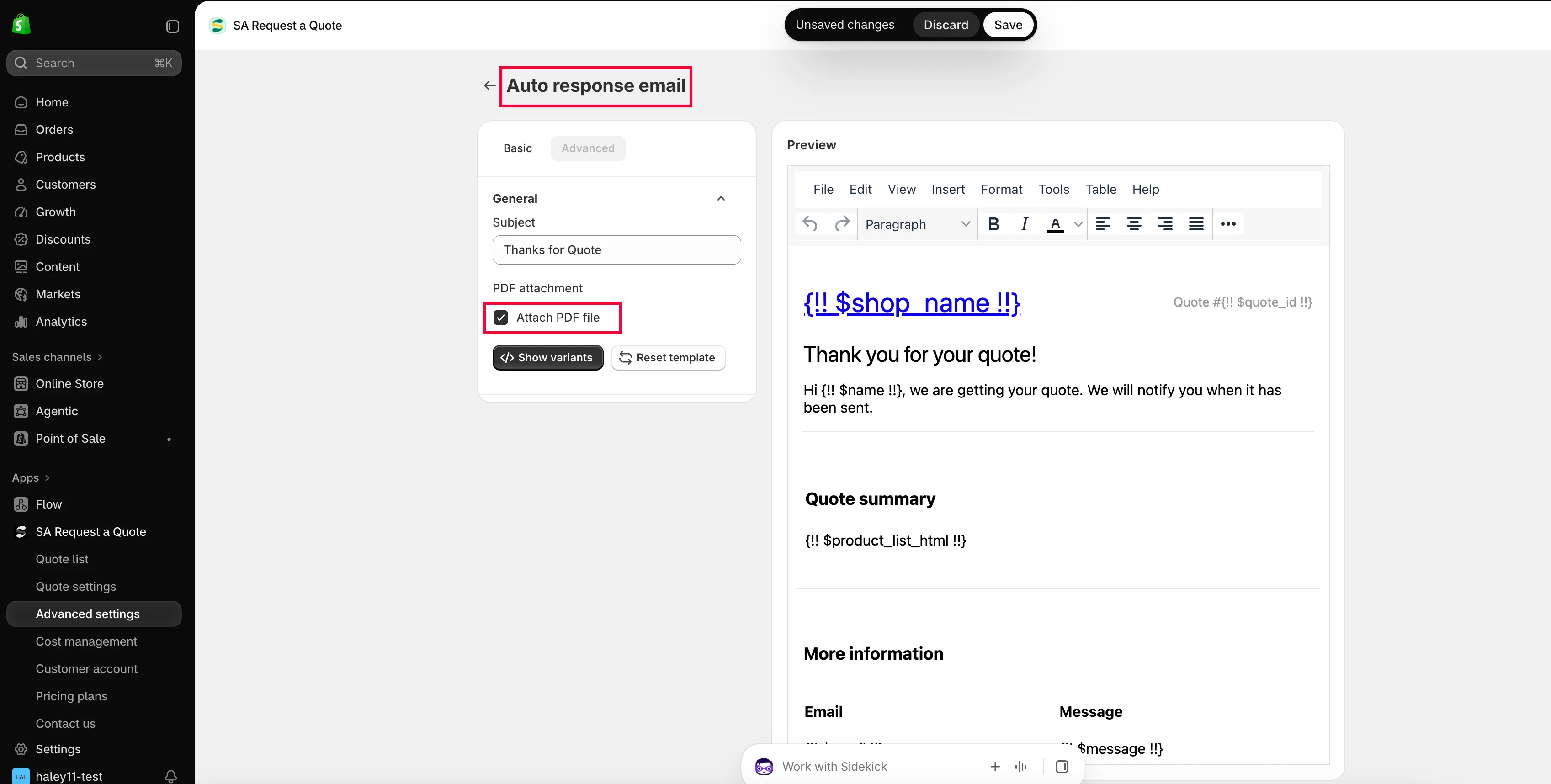
Section titled “Attach PDF fileにチェックを入れる”BasicタブでPDF attachmentまでスクロールし、Attach PDF fileにチェックを入れます。
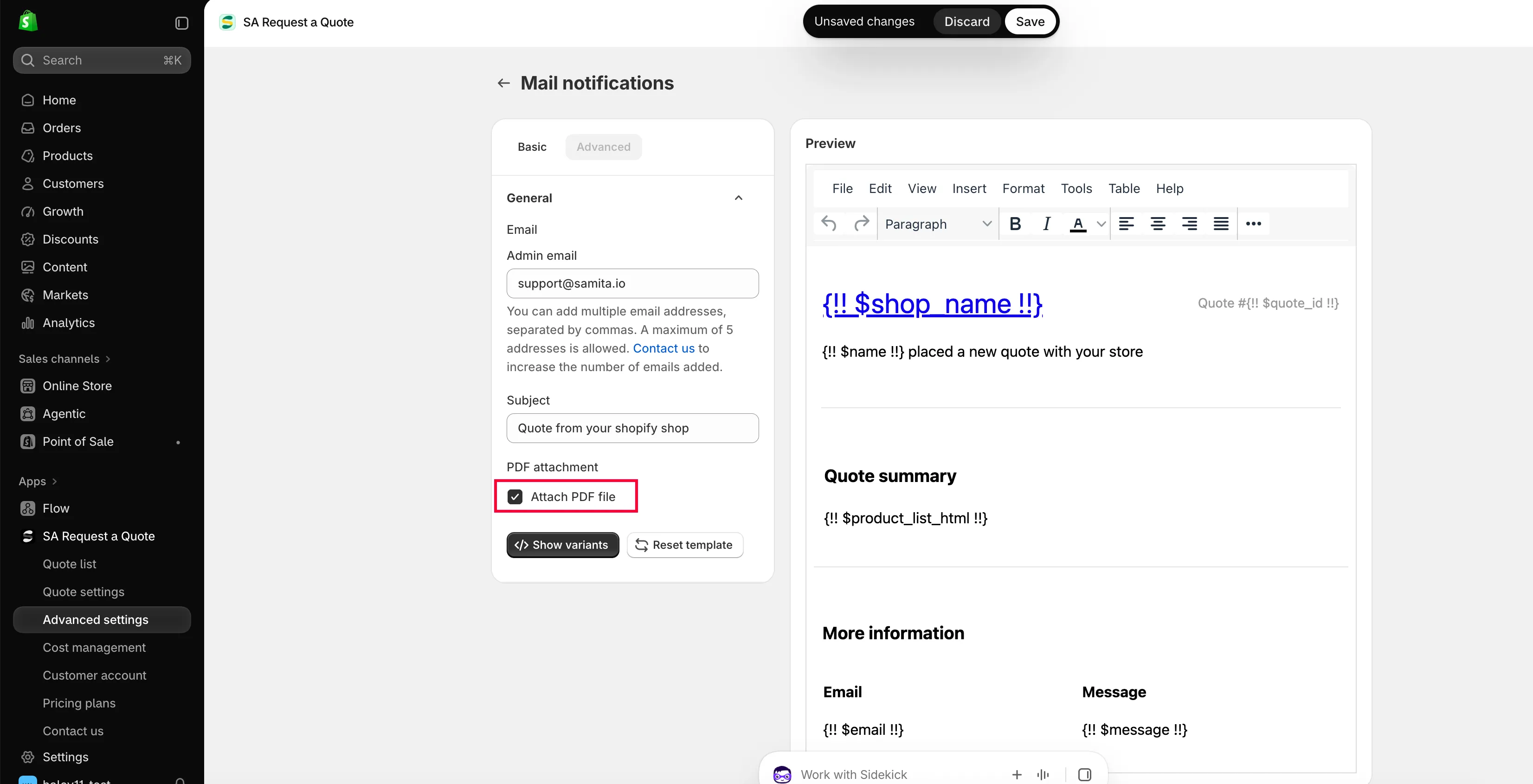
添付はメールの設定であり、PDFテンプレートの設定ではありません。
-
保存して自分宛てに送信する
Section titled “保存して自分宛てに送信する”保存してから、ご自身のストアフロントからテスト用の見積もりを送信し、届いた添付ファイルを開きます。
Quote PDFテンプレートを設定する
Section titled “Quote PDFテンプレートを設定する”-
PDF templateタブに移動する
Section titled “PDF templateタブに移動する”Advanced settingsでPDF templateを選択します。テンプレートは2つあります。
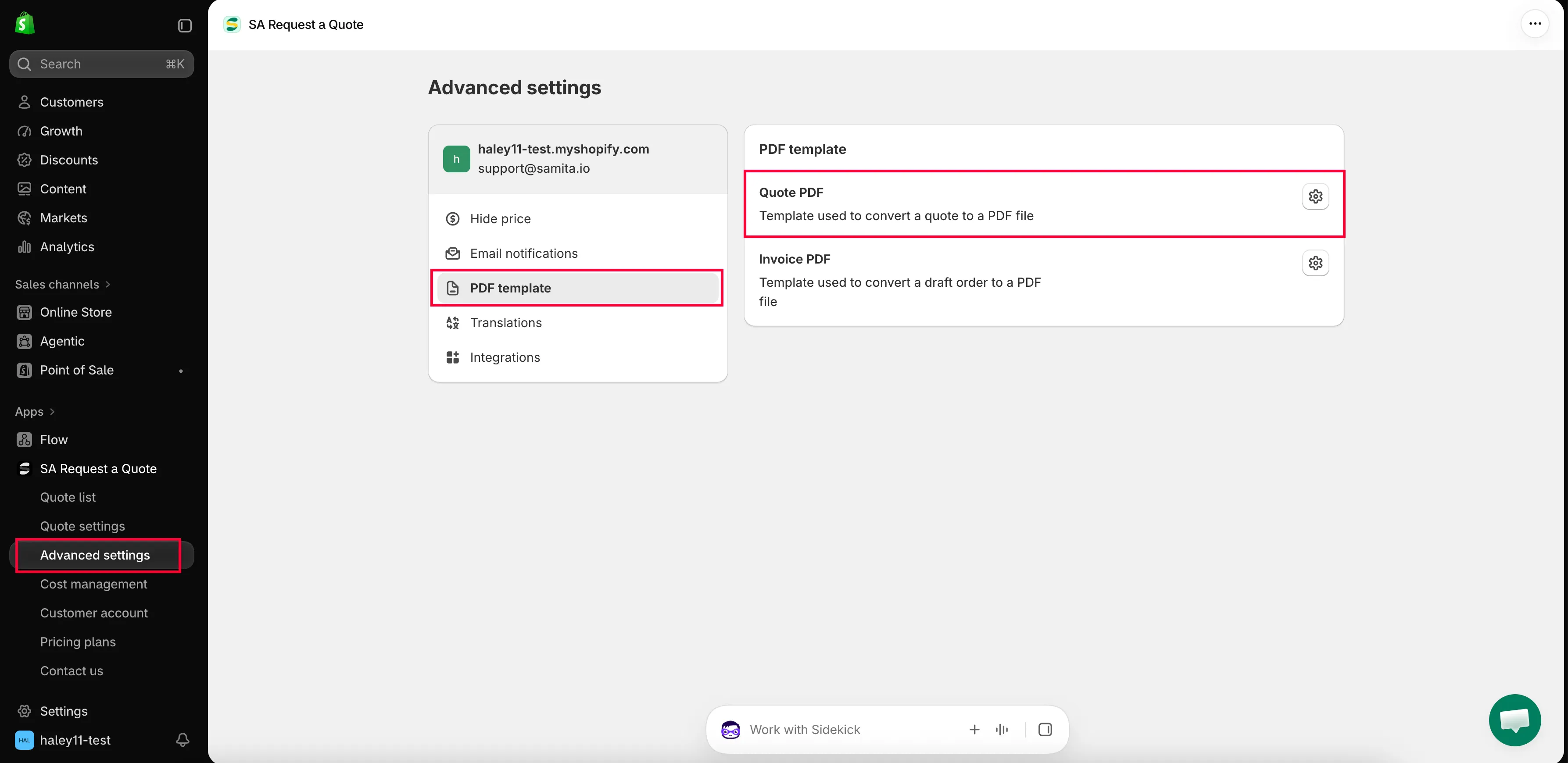
書類自体は、PDF templateタブでデザインします。
-
Quote PDFを開く
Section titled “Quote PDFを開く”Quote PDFは「Template used to convert a quote to a PDF file」です。開くと、Design、Content、Translationsで構成されたQuote PDF templateが表示されます。
-
書類に表示する内容を選択する
Section titled “書類に表示する内容を選択する”Contentは、Quote info、Quote products、Other informationにグループ分けされたチェックボックスの集まりです。見積書に必要な項目にチェックを入れ、不要な項目のチェックを外します。
-
Previewを確認して保存する
Section titled “Previewを確認して保存する”Previewには、作成される書類がそのまま表示されます。保存する前に内容を確認してください。
| グループ | 表示できる内容 |
|---|---|
| Quote info | Quote ID、Issue date(Choose date format付き)、Payment terms、Discount、Tax、Shipping、Subtotal、Grand total。 |
| Quote products | Show product image、Show vendor、Show SKU、Show variants and options、Show quantity、Show price、Show total。 |
| Other information | Quote from、Customer information、Shipping address、Additional information。 |
Column width(33%または100%)とNoteもあります。詳細はCustomize the quote PDFをご覧ください。
自動添付を使わずに書類を送信する
Section titled “自動添付を使わずに書類を送信する”すべてのメールにPDFを添付する必要はありません。サイドバーのQuote listを開きます。Quotesページの各行には、PDFのダウンロード、メールの送信、複製、削除の4つの操作があります。
| 操作 | 使用する場合 |
|---|---|
| download PDF | 購入者から、ご自身の返信に添付できる書類を求められた場合や、記録用のコピーが必要な場合。 |
| send email | アプリからお客様に返信する場合。 |
手順の詳細は、Download a quote as PDFとSend a quotationをご覧ください。
プランに含まれる内容
Section titled “プランに含まれる内容”| プラン | 利用できる内容 |
|---|---|
| FREE | PDF: quote & invoice、およびMulti-language (PDF & email)。 |
| PRO | PREMIUMのすべてに加えて、Customizable PDF。 |
全一覧はPlan comparisonをご覧ください。
次のステップ
Section titled “次のステップ”- Customize the quote PDF — 見積書のすべてのトグル
- Download a quote as PDF — 見積もりをPDFとしてダウンロードする
- Translate quote emails — 他の言語の見積もりとメール